I’ve used a lot of email marketing tools over the years.
ActiveCampaign. Keap. Mailchimp. MailerLite. ConvertKit, which is now called Kit.
And I can usually tell pretty quickly when an email platform was built by people who understand creators and when it was built by people who apparently believe every simple task should require a Master’s in Computer Science.
That’s a big reason I’ve always liked Kit.
It’s an email platform built for creators, and for authors that usually means a few basic things: collecting subscribers, sending newsletters, delivering reader magnets, building simple forms and landing pages, and setting up the kind of welcome sequence that runs quietly in the background while you’re doing something else.
It’s not the only tool that can do those things. MailerLite is still a strong option, and it’s Dave Chesson preferred platform, especially for beginners who want something simple and budget-friendly.
But Kit has gotten a lot more interesting since the rebrand, especially with its free Newsletter plan. You can now build a pretty serious author email list before you ever have to pay, which was not always the case with creator-focused email tools.
That doesn’t mean Kit is the right choice for everyone.
It gets more expensive once you need the paid features. Its automations are easier than a lot of platforms I’ve used, but they’re not limitless. And if you want the simplest possible starting point, MailerLite may still be the better fit.
But Kit is the platform I personally use and recommend to most creators, so in this review, I want to look at it from that angle: where it’s strong, where it’s weaker than people admit, and whether it makes sense for authors.
What Features Does Kit Offer?
Kit offers a strong mix of beginner-friendly tools and advanced capabilities, but the standout is this:
As of this writing, you can use Kit 100% free for up to 10,000 subscribers.
That’s thanks to the Newsletter Plan, launched in 2024.
Here’s what you get with the free Newsletter Plan:
- Up to 10,000 active subscribers
- Unlimited email sends
- Unlimited forms and landing pages
- One email sequence
- One basic visual automation
- Subscriber tagging and segmentation
- Basic reporting and analytics
- Ability to sell digital products, subscriptions, and accept tips
- A newsletter feed / mini-website
- One user seat
(There is one important catch: Kit includes a Kit-managed Recommendation slot on the free plan. If that slot generates Paid Recommendation earnings, those earnings go to Kit.)
In plain English?
You can create a welcome sequence that automatically triggers when someone signs up. It can tag the subscriber, deliver a reader magnet, and send a short email series, all without paying a cent.
That’s a big upgrade from the old free plan, and it’s more than enough for many indie authors who just want to start growing and nurturing their list (without pulling out a credit card before they’ve sold a single book).
If you’re comparing free plans across platforms:
- MailerLite’s free plan no longer gives you 1,000 subscribers. It now includes up to 250 subscribers and 2,500 monthly emails. That said, MailerLite still gives you more free automation flexibility than Kit in one important way: MailerLite’s free plan includes up to 3 active automations and 5 automation steps, while Kit’s free Newsletter plan gives you one basic visual automation and one email sequence. So the tradeoff is pretty clear: Kit is much more generous on subscriber count, while MailerLite gives you a smaller free list but more room to experiment with automations.
- Substack is simpler but doesn’t give you full ownership or tagging flexibility (at least not yet).
- Mailchimp’s free tier caps out quickly. It currently includes up to 250 contacts and 500 monthly email sends, with a daily send limit of 250.
Bottom line? Kit’s free plan is now one of the best for creators, especially if you want to build your list, send regular emails, and run a simple onboarding sequence.
What About Automation?
This is where Kit quietly shines, especially if you’ve ever battled with clunky tools like Keap or overly complex builders like ActiveCampaign.
The visual automation editor is clean, intuitive, and powerful enough for 99% of what authors and creators actually need. You can build entire onboarding funnels in minutes, not hours (no Zapier hacks, no “wait, where does this go again?” moments).
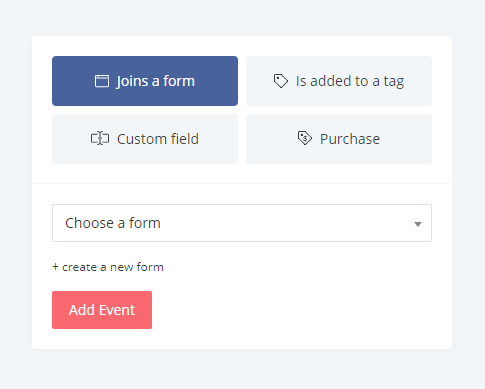
The Free Plan Includes:
- One basic visual automation
- One email sequence
That may not sound like much, but it’s more than enough to:
- Deliver a lead magnet (like a free book or sample chapter)
- Tag the subscriber (e.g., “Downloaded Book 1”)
- Kick off a short sequence that welcomes them to your world
You can build that entire funnel (from opt-in to final welcome email) using Kit’s automation tools, even as a free user.
The Creator and Pro Plans Add:
- Unlimited visual automations
- Unlimited email sequences
- More automation features, including rules, integrations, and RSS campaigns
- More control over Recommendations and Paid Recommendations
- A/B subject line testing on Creator
- A/B subject line and content testing on Pro
- Additional Pro features like engagement analytics, deliverability reporting, subscriber engagement scoring, Facebook custom audiences, a newsletter referral system, and priority support
I’ve used platforms like ActiveCampaign and Keap for years. Kit doesn’t offer quite the same level of advanced segmentation and CRM-style automation, but it nails the features most authors and solo creators actually use. And it’s dramatically easier to set up and manage for most people.

Bottom line:
You don’t need a PhD in funnels to build smart automations in Kit. Whether you’re just starting your list or managing multiple reader segments, the tools are there.
How are the Forms and Landing Pages?
Kit handles forms and landing pages inside the same simple builder, which is good news if you’re short on time or patience (and let’s be real… most authors are).
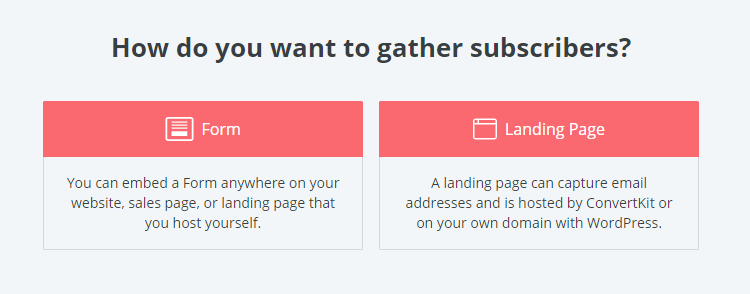
Creating opt-in forms for your lead magnets is fast, clean, and mobile-responsive out of the box. You can embed them in your website, set them to pop up or slide in, or even use standalone landing pages if you don’t have a website yet.
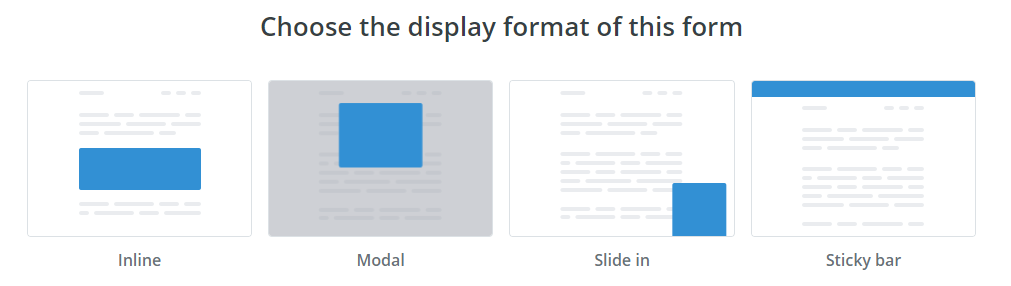
Forms You Can Create:
- Inline forms (embedded in your content)
- Slide-ins and pop-ups
- Sticky bars (that live at the top of your site)
- Hosted standalone forms (great for linking from social media)
All form types support customizable fields, tag-based segmentation, and delivery of lead magnets.
That said, if you’ve used dedicated tools like OptinMonster, Sumo, Thrive Leads, or ConvertBox, you’ll notice that Kit’s form builder isn’t nearly as feature-packed. You won’t find exit-intent triggers, multivariate testing, or animation options.
But that’s not necessarily a downside.
For most authors, Kit does everything you actually need: create simple, branded forms, tag new subscribers, and send them a lead magnet. Because it doesn’t try to do everything, Kit’s form builder is easier to use (and less overwhelming) than most of the alternatives.
And perhaps the biggest win? You don’t need a separate plugin or external app to build forms. That keeps your tech stack lean, avoids plugin drama, and helps your WordPress site run faster than a caffeine-fueled copyeditor.
Landing Pages:
Kit’s landing pages work much like its forms: clean, simple, and focused on getting the job done.
You get dozens of templates, including several built specifically for creators and authors. You can customize:
- Headline and body text
- Images, colors, and fonts
- Confirmation pages and thank-you messaging
- SEO settings and meta descriptions
- Analytics tracking
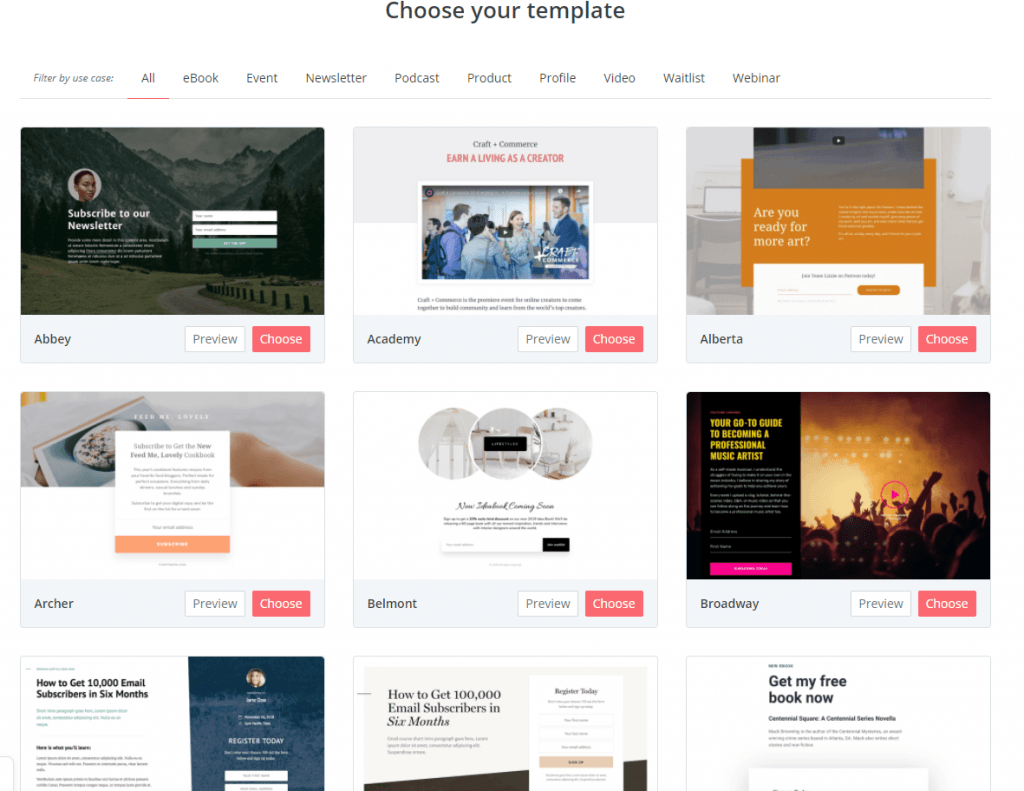
It’s not a drag-and-drop playground like Elementor or Leadpages.
You won’t be moving columns around or building sections from scratch. And if you’re coming from a tool like Clickfunnels, Kit’s landing pages might feel overly basic.
But that simplicity is part of the appeal.
Most authors don’t need (or want) a full-fledged page builder. They need something they can spin up quickly without having to obsess over margin spacing or CSS classes. Kit lets you pick a template, tweak a few things, and get back to writing.
For advanced use cases, yes, you may outgrow it.
But for lead capture, giveaways, waitlists, and reader magnet funnels? Kit’s landing pages are fast, easy, and get the job done.
What About Broadcast Emails (One-Time Sends)?
Broadcasts are what Kit calls your regular, one-off emails — launch announcements, newsletter updates, or anything else you want to send once to your list (or a segment of it).
There are three types of templates you can use:
1. Starting Point Templates (Most Common… and Popular)
These use Kit’s modern visual editor, which is surprisingly flexible and beginner-friendly. You can drag in:
- Text blocks
- Images
- Buttons
- Dividers
- Social links
- Spacers
- Reusable “snippets” of content
The goal? Let creators build clean, well-designed emails — without code and without having to use a third-party design tool.
It’s not as fancy as something like Flodesk, but that’s kind of the point. It’s fast, it’s capable, and it keeps the focus on your words.
2. Classic Editor (Minimalist)
If you prefer a simple, text-heavy look (or just want something distraction-free), Classic templates let you write like you’re drafting in Google Docs.
You can still add links, images, and basic formatting, but everything stays lean.
3. Custom HTML Templates (Advanced Users)
These are for power users who want full control over the layout and design of their emails. Most authors won’t need this (and if you don’t know what HTML means, you can safely skip it).
Note: I use Kit’s broadcast emails every day. For 99% of authors and creators, the Starting Point templates are the sweet spot: flexible enough to create attractive emails, but simple enough that you’re not stuck tinkering with design for an hour.
Broadcasts can also be:
- Segmented by tags, actions, or custom fields
- Personalized using dynamic fields (like a subscriber’s first name)
- Scheduled in advance or sent immediately
- Resent to non-openers with just a few clicks
- Previewed and tested before you hit send
And if you’re on a paid plan, you can use conditional content that shows different text to different subscribers within the same email.
Other Important Features for Authors
Kit is an email platform first, but it packs in a few extra features that authors and creators will appreciate (especially if you’re looking to simplify your tech stack).
1. Subscriber Tagging + Segmentation
Kit uses tags and custom fields to organize your subscribers.
This means you can tag people based on:
- Which freebie they downloaded
- Which landing page they came from
- What genre or topic they’re interested in
- Whether they’ve purchased a book from you
Tags are applied automatically through forms, automations, and even links in your emails.
This is huge for authors who write in multiple genres or want to separate readers from collaborators, students, or superfans.
2. Simple Yet Powerful Analytics
Every email you send comes with clean performance stats:
- Open rate
- Click rate
- Unsubscribes
- Deliverability
You can also track which links people are clicking most, which is great if you’re testing calls to action or want to see which book cover or bonus offer is performing better.
3. A/B Testing for Emails
On paid plans, you can run A/B tests for your email subject lines.
Kit will automatically send two versions to a small portion of your audience, then pick the winner and send it to the rest. Super helpful when you’re launching a book and want to optimize engagement.
4. Snippets (Time Saver)
If you regularly include the same content in multiple emails (like a book CTA, author bio, or affiliate disclaimer), you can save it as a snippet and drop it into any broadcast or sequence.
Update the snippet once, and it updates everywhere. It’s like copy-paste… without the regret.
5. Commerce Tools
Kit includes a basic digital product checkout system.
You can:
- Create a sales page
- Set a price
- Accept payment (via Stripe)
- Deliver a file or link
- Tag the buyer in your list
It’s not as robust as ThriveCart or Gumroad, but it’s incredibly smooth and it’s built right in.
What Does it Cost?
Kit keeps its pricing relatively simple (no math degree required). Here’s how it breaks down:
✅ Free Plan: Newsletter
- Cost: $0/month
- Subscriber Limit: Up to 10,000 subscribers
- Includes:
- 1 basic visual automation
- 1 email sequence
- Unlimited email sends / broadcasts
- Unlimited forms and landing pages
- Tagging and segmentation
- Basic reporting and analytics
- Digital products, subscriptions, and tips Newsletter feed / mini-website
- 1 user seat
And as I mentioned earlier, there’s one Kit-managed Recommendation slot on the Newsletter plan, and any revenue that’s earned in that slot goes to Kit, not you.
For most authors starting out, this plan is more than enough to build a reader magnet, deliver it automatically, tag your subscriber, and kick off a welcome sequence.
In other words, it covers the entire “starter stack” for email marketing, for free.
Paid Plans: Creator and Creator Pro
Here’s what you get when you upgrade:
| Plan | Creator | Creator Pro |
|---|---|---|
| Starts At | $33/month when paid yearly (1,000 subs) | $66/month when paid yearly (1,000 subs) |
| Visual Automations | Unlimited | Unlimited |
| Email Sequences | Unlimited | Unlimited |
| A/B Testing | Subject lines | Subject lines and content |
| Advanced Reporting / Analytics | Basic plan reporting | Engagement analytics, insights dashboard, deliverability reporting, and subscriber scoring |
| Users | 2 users | Unlimited users |
| Facebook Custom Audiences | ❌ | ✅ |
| Priority Support | ❌ | ✅ |
Both paid tiers grow in price based on your subscriber count.
You can use Kit’s pricing calculator to estimate your actual monthly cost.
A Note on Value (and Perspective)
I’ll be blunt: Kit is not the cheapest email tool on the market Kit is not the cheapest email tool on the market once you need the paid features. The free Newsletter plan is still unusually generous if its limits work for you. The jump comes when you need unlimited automations, unlimited sequences, more advanced reporting, or other paid-plan features. At the 1,000-subscriber level, Kit currently lists Creator at $33/month when paid yearly and Pro at $66/month when paid yearly.
But it’s one of the best-designed, and the support is excellent. As someone who has used ActiveCampaign, Keap, Mailchimp, MailerLite, and ConvertKit (now Kit), I still find myself preferring Kit’s balance of power and usability.
That said…
If you’re looking for a more budget-friendly option (especially if you plan to do more complex automations, or want a slightly more generous free tier), Dave (Kindlepreneur’s Founder and CEO) recommends checking out MailerLite.
In fact, he’s got a full free course on how to use MailerLite that’s helped thousands of authors set up their list the right way.
Here’s a handy visual breaking down the two services:
| MailerLite | Kit | |
|---|---|---|
| Free Account | ||
| Email Creation | ||
| Automation | ||
| Landing Pages | ||
| Forms | ||
| Ease of Use | ||
| Navigation | ||
So what’s the bottom line?
If you want a tool that’s:
- Built for creators
- Easy to use
- Generous on the free plan
- Capable of growing with you
…Kit is worth serious consideration.
But if price is your #1 factor, MailerLite remains our top pick for authors, especially those just starting out.
What I Don’t Like About Kit
No platform is perfect. Kit has its trade-offs. Here are a few things worth knowing before you dive in:
1. It Gets Pricey After the Free Plan
The free plan is incredibly generous if you can stay within its limits. But once you need unlimited automations, unlimited sequences, more advanced reporting, or Pro-level features, the jump can feel pretty steep.
At the 1,000-subscriber level, Kit currently lists Creator at $33/month when paid yearly and Pro at $66/month when paid yearly, and pricing increases as your subscriber count grows.
For authors who want a little more design flexibility out of the box (or who just want to keep things free a bit longer), MailerLite might be more appealing (assuming you have fewer than 250 subscribers).
2. Automations Are Great, but Not Limitless
Kit’s automations cover almost everything most creators need. But if you’ve used tools like Keap or ActiveCampaign, you’ll notice the limitations. You can’t build endlessly nested logic, track fine-grain behavior, or create ultra-complex flows.
For 99% of authors, this isn’t a deal breaker. But it’s worth knowing.
3. Landing Pages and Forms Are Simple (Sometimes Too Simple)
The no-fuss simplicity is a strength, until it isn’t. You can’t customize every pixel or control advanced display logic like you can with Leadpages, OptinMonster, or Elementor.
That’s fine for most use cases, but more advanced users may feel boxed in.
4. The “Visual Email Editor” System Feels Confusing at First
There are three different email editors — “Classic,” “Starting Point” (Visual), and “HTML”, but the switching mechanism between them isn’t obvious.
Most users will stick to the Visual option, but navigating between templates takes a little trial and error.
Is Kit the Right Email Marketing Service For You?
If you’re an author or creator trying to pick your first (or next) email platform, here’s the quick rundown:
- Kit’s free Newsletter plan is one of the strongest free plans by subscriber count. You get up to 10,000 active subscribers, unlimited email sends, unlimited forms and landing pages, and one basic automation with one email sequence.
- The interface is clean, and it strikes a great balance between power and simplicity.
- You can build forms, landing pages, automations, and broadcasts all within one tool.
- Support is solid, and the team behind Kit is highly responsive and creator-first.
But it’s not perfect.
- Kit gets expensive quickly once you pass the free tier.
- It’s not quite as visually customizable as some drag-and-drop email builders.
- Its automations are powerful, but not the most advanced on the market.
I personally use Kit. And I recommend it to writers and creators who want something intuitive, thoughtfully designed, and built for long-term growth.
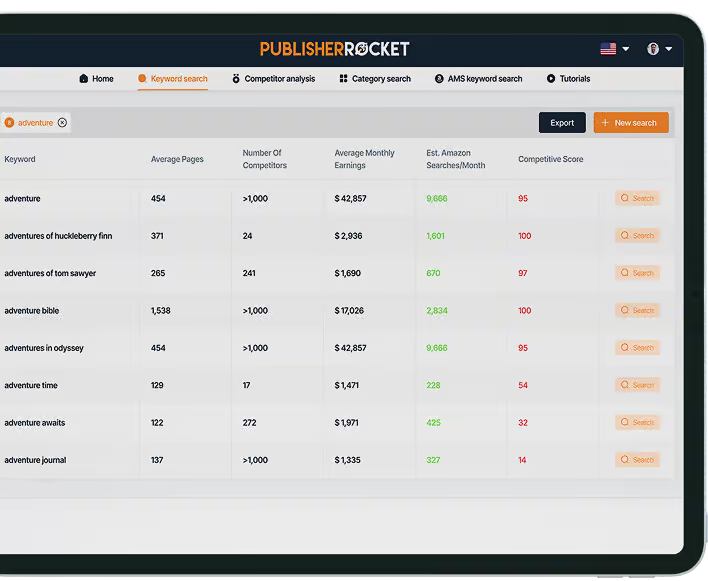
And Dave uses it too, both for Kindepreneur and Publisher Rocket. It’s a great service.
However, if budget is tight and you need more automation flexibility than Kit’s free Newsletter plan gives you, MailerLite may still be worth a look. Just keep the new free-plan limits in mind. MailerLite’s free plan caps you at 250 subscribers and 2,500 monthly emails, though it still gives you more automation room than Kit’s free plan.
But if that doesn’t describe you (and you like the idea of skipping setup headaches and actually hitting send), Kit makes a compelling case.