
Free ISBN Barcode Generator for ISBN-13 Barcodes
Need an ISBN barcode for your book cover? This free ISBN barcode generator was built for authors, which means there’s no email requirement, no account to create, and no surprise payment screen waiting for you after you’ve already entered your information. Just add your ISBN-13, include a price if you want one, and download a print-ready barcode in PDF, PNG, or JPG format.
Learn how to become a best
seller with my free guide
How This ISBN Barcode Generator Works
This free ISBN barcode generator creates print-ready ISBN-13 barcodes that you can place directly on your book’s back cover.
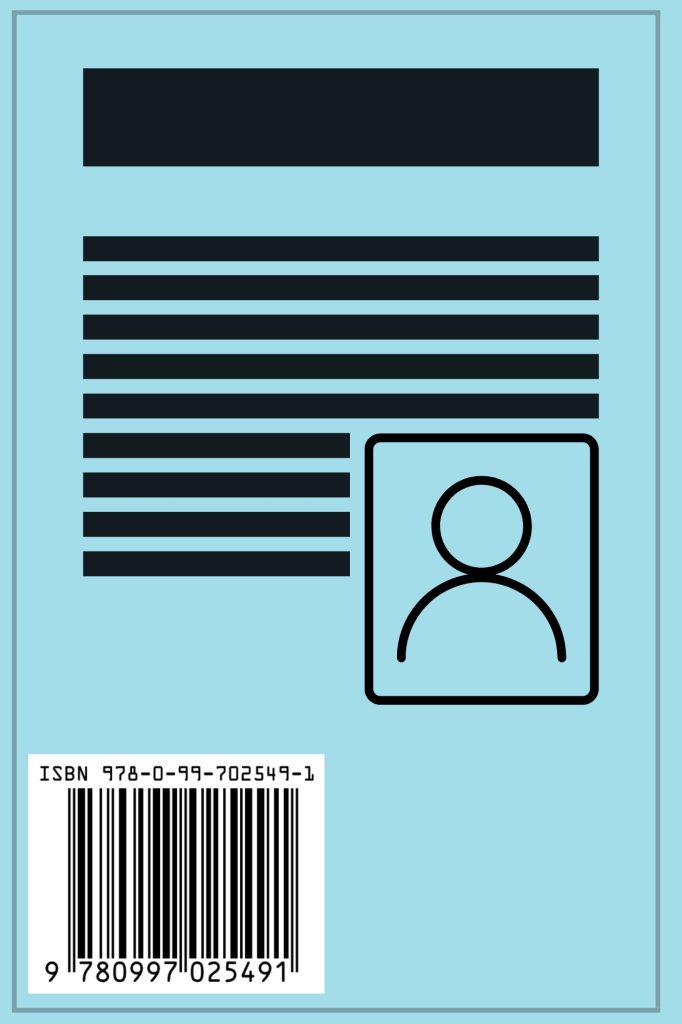
This is important because it is required to be placed on the back of your book cover for print and is therefore something you'll need to do in order to publish your print book. Ensuring you have the right barcode to represent your ISBN will be key. Luckily this generator can do exactly that.
So, in order to use this, all you need to do is enter a valid ISBN-13 and (optionally) a price, and the tool generates barcode files you can download in PDF, PNG, or JPG format:
- PDF – best for print designers and offset printers
- PNG – transparent background, ideal for digital cover design
- JPG – white background, simple and widely supported
Then, take that download and place it into your book cover design software and place it on your book. For example, if you are using something like Canva, you can drag and drop your png into Canva and then it around until it is in the spot you want it.
Also, be careful because some publishing markets, or printing presses require the barcode to be in a certain spot and usually they will produce information on how you can move this to fit their need.
Also, to be clear, this tool only generates barcodes only. It does not issue ISBNs which you can get here. .
What Makes this Free ISBN Barcode Generator the Best for Authors?
Unlike many of the barcode generators out there, this one is first and foremost free. It doesn't have any email requirements or last minute pricing.
Furthermore, it was designed by an author for authors. Most of the tools out there don't even deal with books, but are looking to capture unaware authors and lure them into either buying ISBNs through them, or giving away their details in return for the barcode they are promised.
With this one, you don't have to worry about that. I created this because I was tired of the other ISBN barcode generators out there doing this and felt there was a strong need for one you can trust.
So, be sure to use this one and don't worry about any last minute shenanigans. Enter in the necessary information, and take your barcode worry free.
When Do You Need an ISBN Barcode
While a majority of books on the market require a ISBN and thus a barcode, not every book needsone.
You generally do not need an ISBN barcode if:
- You are publishing ebooks only
- Your book will be sold exclusively online (such as through Amazon)
You do need an ISBN barcode if:
- You are publishing a print book
- Your book will be sold through bookstores, distributors, or wholesalers
- You are supplying your own ISBN instead of using a retailer-provided one
If you use your own ISBN, you'll need to add this to your cover design software, or your cover designer will need a barcode image. That’s what this tool provides.
ISBN Barcode Pricing Options
ISBN barcodes can be generated with or without embedded pricing, depending on how and where you plan to sell your book.
When to Use a Barcode without Pricing
You should use a barcode without pricing if:
- Most of your sales will be online
- You sell books directly to readers (events, fairs, conferences)
Some of the advantages to not using a price on your ISBN barcode is that you can change your price at any time without updating your cover. Because nothing worse than a barcode that says one thing, and a price that is actually another.
Also, a barcode without a price is also smaller and will take up less space on the back book cover.
However, that being said, it is important to note that books without pricing on their barcode cannot be sold easily in physical bookstores. So, by not listing it, you could be limiting your reach.
Barcode With Price Placeholder (Bookland EAN)
If you plan to sell your book in physical bookstores, you’ll typically need a Bookland EAN (which you can learn more here). This includes a secondary price barcode next to the ISBN barcode.
If you choose to do this, using a price placeholder will allow retailers and bookstores to scan the barcode while setting their own price in their system. So, think of this as best of both worlds. You aren't beholden, but you aren't limited either.
So, how do you use a placeholder?
Simple – just enter 90000 in the price field of the generator and that's it.
Barcode With an Actual Price
If you know your price, and you don't fit either category above, then let's enter in your actually price.
To reiterate though, you should choose this option if:
- You already know your final price
- You want the price visible on the book in physical stores
Advantages
- Customers can see the price immediately
Disadvantages
- Changing the price later may require updating your cover
Just make sure that you use the right currency code when entering in your price. How do you do that? No problem, I've got you covered below.
Currency codes for price barcodes
Here are the currency codes.
Important note though: If no country code is entered, the prices will default to US dollars.
| Country | Code | Example Entry | Displayed Price |
|---|---|---|---|
| United States | 5 | 50699 or 6.99 | US$6.99 |
| Canada | 6 | 60699 | CAD$6.99 |
| United Kingdom | 0 | 00699 | £6.99 |
Okay, so there you have it. Please enjoy my free ISBN barcode generator!
Frequently Asked Questions
Additional Resources
If you want to learn more about ISBNs and publishing requirements, these guides may help:
—
Disclaimer: This tool generates ISBN barcodes based on the information you provide. It does not issue ISBNs. Publishers are responsible for ensuring their ISBNs and pricing information are correct.
Want to Maximize Your Book's Exposure?
Then you need a stellar book description. There are specific formulas that many pros use for fiction and nonfiction to optimize theirs. If you'd like them (for free), click the button to get started.

