Every few weeks, it seems like a new AI writing tool pops up promising to help us writer faster, generate better ideas, or somehow make the entire writing process easier.
The problem is… most of them aren’t actually built with authors in mind.
Some tools are great for marketing copy or short-form content, but when you try to use them for a novel, a nonfiction book, or even something like character development or outlining, they leave you wanting.
At the same time, there are a handful of AI tools that really can help authors in specific parts of the writing process like brainstorming ideas or helping with outlining, research, editing, or getting unstuck (for those times you’re staring at a blank page).
To put this guide together, we looked at the tools authors are using right now, along with a few newer ones starting to make a name for themselves. Some of these we’ve tested ourselves, and others come from conversations inside the Kindlepreneur community.
So if you’re at least a little curious about how AI might fit into your writing workflow, the goal of this guide is simple: to show you the tools worth exploring.
Let’s start with the tools designed specifically for fiction authors.
AI writing tools built for fiction authors
Most AI writing tools were originally built for marketers, bloggers, or people writing short-form content. And while some of them can still help with things like brainstorming or outlining, they often struggle once you start dealing with things like characters, plot structure, or long-form storytelling.
That’s why a few tools have started focusing specifically on fiction authors. They’re designed to help with things like drafting scenes, expanding ideas, developing characters, or keeping track of story elements across a novel.
Below are a few of the tools that fiction writers tend to get the most value from.
1. Sudowrite: AI writing tool for fiction prose
Pricing: $22/month for the mid-level “Professional” tier I recommend
Pros:
- Comprehensive feature set
- Designed with fiction writers in mind
- A custom model for prose-writing
- Simple and elegant design
Cons:
- Limited flexibility
- Not my favorite pricing structure
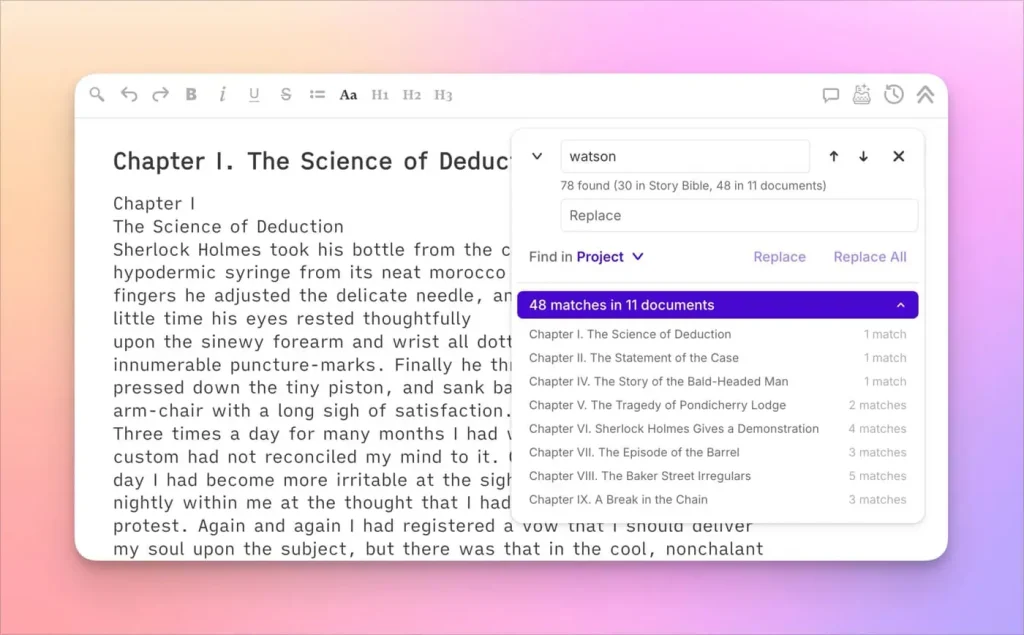
The AI writing tool called Sudowrite is a tool that's gained a lot of traction among fiction writers. It's packed with features designed to help authors throughout their storytelling process. These features include writing, revision, and brainstorming tools that cater to various aspects of crafting a story. It's pretty impressive, despite having some flaws.
One thing that sets Sudowrite apart from other tools is that it has its own model specifically designed for writing fiction. As of this writing, it is absolutely the BEST model for writing natural sounding prose. And not only that, but it has an intuitive understanding of scene structure and blocking that most other AI tools don't seem to have.
Get 200k Free Sudowrite Credits
Through a special partnership with Sudowrite, Kindlepreneur readers who use our link can get 200,000 bonus credits when they sign up.
Try SudowritePlus, it's completely uncensored, so if you're into writing erotic romance, gratuitous violence, or gore, this is almost certainly the tool you’ll want to use.
Although it has some drawbacks. For instance, I'm not a huge fan of its pricing structure, which is a little expensive. Additionally, it's not as flexible as other tools like Novelcrafter, like being able to integrate OpenRouter to get access to all of the models. Instead, you have to work only with the models that Sudowrite has selected and provides.
So, if you're looking for a writing tool specifically built for fiction, Sudowrite could be your best bet. I don't personally use it as my go-to tool for brainstorming, worldbuilding, character building, outlining, etc., but I do use it for writing actual prose, thanks to the amazingness that is their Muse model.
And with our link (affiliate), you can get 10,000 200,000 bonus credits to try it out for yourself, which should be enough to see if it’s right for you. Give it a try and see if it works!
2. Novelcrafter: Flexible AI writing tool
Pricing: $14/month for the Artisan tier, which is the one I recommend
Pros:
- An ultra-powerful codex to store all your information
- A seamless integration of AI wit
- Ultimate flexibility
Cons:
- A monthly fee AND pay-as-you-go
- Can be overwhelming for some
Novelcrafter is the Adobe Photoshop of AI writing tools. It is perhaps the most versatile tool on this list, but as such comes with a slight learning curve.
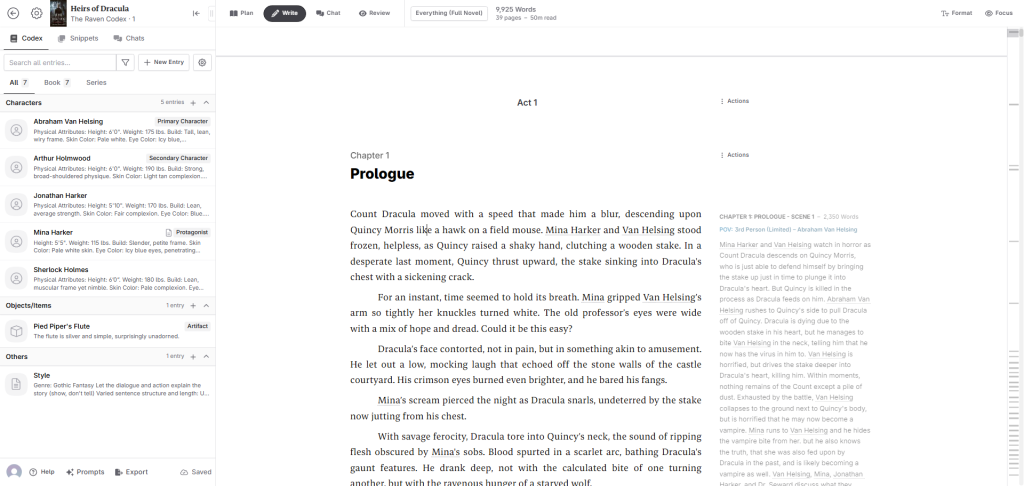
The most powerful feature is Novelcrafter's Codex, which is essentially an innovative database to store all of the information about your book, everything from characters to important lore. These are stored in such a way that it makes it easy for authors to access them and include them in the prompts, so the AI knows more information about those elements when writing.
Plus, it's by far the more flexible option, with the ability to clone or create new prompts for the writing, brainstorming, or editing process. I've found myself using Novelcrafter for wildly obscure prompts, such as one I used to create a modern-prose edition of a public domain book (it worked amazingly well).
To use Novelcrafter to write with AI, it needs to be connected to other AI-generating APIs, such as OpenRouter, which gives you access to virtually all of the AI models. You can also hook it up to LMStudios or Ollama, which allow you to use models running on your own computer with Novelcrafter.
3. Raptor Write: Free AI writing tool
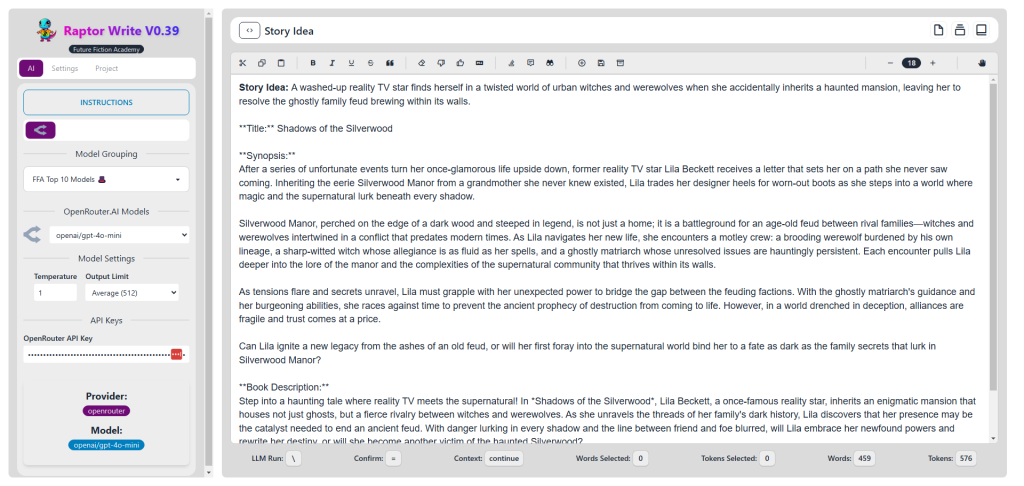
Pricing: Free
Pros:
- Free and easy to use
- Simple design
Cons:
- Not as powerful or flexible
Raptor Write comes from the folks at Future Fiction Academy, known primarily as a platform for learning how to harness AI for writing. It has the biggest advantage of being free, and not only that, but it's very simple to use.
And if you do find it difficult to figure out at first, there's a free course that comes with it (in fact, you get Raptor Write when you sign up for the free course).
While it's not as capable as a program like Novelcrafter, it makes up for it in price and simplicity, which for some authors is all you need.
If you just want the quick recommendation
Any of these three tools can work well for fiction authors. They just appeal to slightly different types of writers.
If you want something that’s easy to use and produces strong prose right away, Sudowrite is usually the one people start with. If you’re the type of writer who likes to control every detail of your story world and writing workflow, Novelcrafter gives you a lot more flexibility. And if you’re just starting to experiment with AI and want something simple to learn on, RaptorWrite is a good place to begin.
AI tools that work well for nonfiction authors
Writing nonfiction comes with a different set of challenges than writing fiction.
Instead of scenes, characters, and story arcs, most nonfiction authors spend more time researching ideas, organizing information, outlining chapters, and figuring out how to explain complex topics clearly. That’s where AI tools can actually be helpful.
Some tools are great at brainstorming ideas or helping you outline a book. Others are better at research, summarizing information, or helping you draft sections once you already know what you want to say.
Below are a few tools that nonfiction authors tend to get the most value from.
1. Novelcrafter (for longform and creative nonfiction)
Pricing: $14/month at the Artisan Tier, which is what I recommend
Pros:
- Works for nonfiction as well as for fiction
- Easy way to store research and other needed materials
Cons:
- Requires some adaptation to work for nonfiction
Yes, Novelcrafter, despite the name, works for nonfiction as well as fiction. There are just a few modifications you need to do to make it work.
For instance, the Codex, which works so well for inputting your characters and locations in a fiction book, can be adapted to work for nonfiction by using it to house your research.
Novelcrafter is best for long-form fiction and creative nonfiction (like a memoir). For other types of nonfiction writing, like online articles and copywriting, continue reading.
Take These Tools to the Next Level With Our Favorite AI Prompts
These tools are great, but most of them require some skill. One of the best ways to increase your AI-prompting skills is to use a series of pre-written prompts. We've put together a list of prompts that you can use for just that purpose! Check them out here:
Get the Free PDF2. CopyAI (best for copywriting)
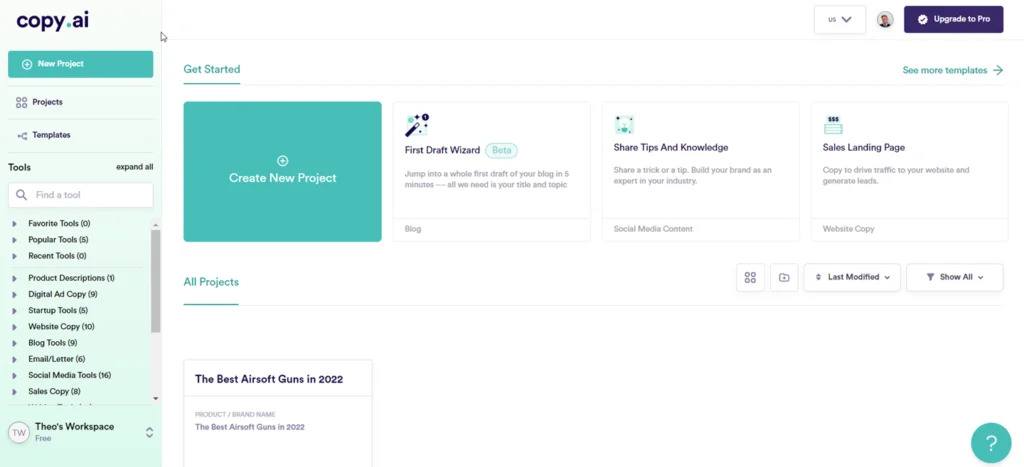
Pricing: $24/month (billed annually) for unlimited credits and projects
Pros:
- A lot of great templates
- Good, clean design
- Good at editing text
Cons:
- Not great for other uses other than copywriting.
CopyAI is a close competitor of Jasper’s, and many would call it equal in power. It has one particular advantage over Jasper, and that is its design. The overall flow of writing and software designed is one of the best in the industry.
Like many other similar tools, CopyAI has multiple templates that you can use, and utilizes some of the same AI models that other tools use. In fact, it is not all that different from many other AI tools.
Unlike some tools, it does have a few unique options like a grammar checker, a sentence simple fire, and a verb booster, which are all useful in the writing process. In fact, CopyAI is a really good option for those who want to improve their writing in the editing stage.
It's also priced far more reasonably than Jasper. This is the one we recommend if you want something cheaper than other competitors, like Jasper, with similar output.
3. WriteSonic (best for marketing)
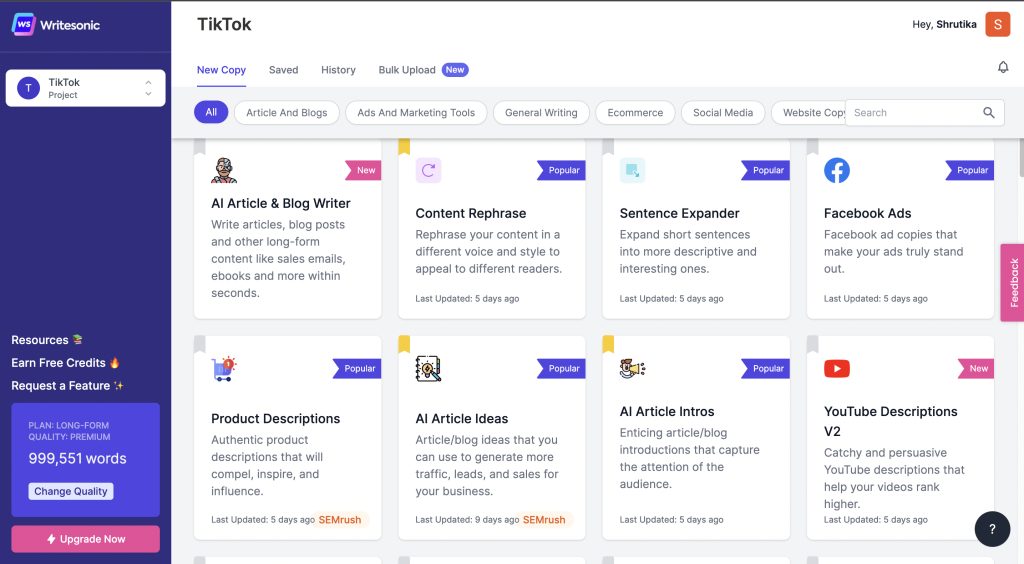
Pricing: $39/month (billed annually) for the “Lite” plan
(Editor's Note: WriteSonic updated and restructured its pricing plans in 2025, which has made it pretty pricey compared to the earlier version of our review. Before, the “basic individual plan” was $16/month.)
Pros:
- Great for short-form social/marketing copy
- Has a long-form assistant
- Affordable
Cons:
- Not the cleanest output
- Not great for longer content
- Not the best layout
WriteSonic is another great AI tool that specializes in marketing copy. If you write a lot of marketing copy for your your job or in your author business, this might be one to look at.
For example, they have templates for a variety of purposes, anything from ad copy for Facebook, to an Instagram description, to the text of a LinkedIn profile. If it's social media or marketing related, they probably have a template for it.
The downsides that I found when working with WriteSonic are mostly due to the interface, which is not as clean as CopyAI or Jasper. And while it does have a longform assistant for writing longer articles or books, I found it to be less than ideal compared to Jasper or ChatGPT.
(Editor's Note: Another downside would be the aforementioned price point.)
So if you have the specific need around marketing, this is one to look at, otherwise I would use a different option.
4. Frase IO (best for SEO)
Pricing: $38/month for basic “Starter” plan (you'll have to scroll to the bottom of their pricing page to find it)
Pros:
- Great for SEO research
- All-in-one content creation
- Amazing optimization features
Cons:
- Expensive
- Clumsy interface
- Tries to do too much
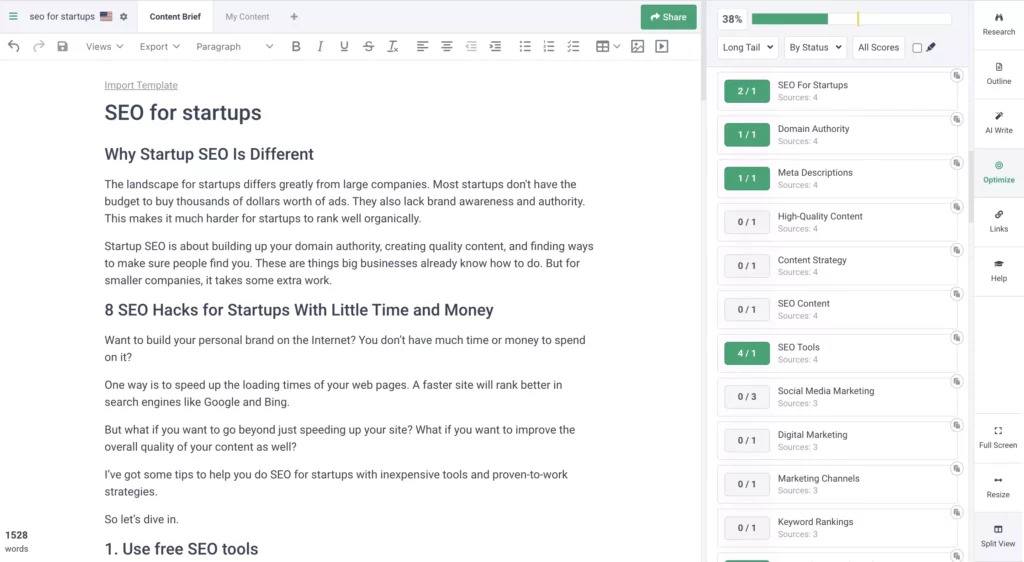
Frase IO is a little bit different, because it is not primarily a writing program. Instead, Frase IO is a program to help Internet marketers with SEO.
As someone who does a lot of SEO writing himself, I highly appreciate this. Frase IO will scan the top search results of Google, and give you an AI -assisted analysis of those top results. This helps you identify topics that you should discuss in your article, makes sure you have all the right keywords you need, that your article is long enough, etc.
Frase IO is not the first software tool to do this, but it is one of the most effective because of its use of AI.
And while AI writing is not its focus, it does have some AI writing capabilities to help optimize an article.
Overall, this is a solid tool for Internet marketers, especially if you write content for websites that you want to rank on Google. It's just not going to do the writing for you.
5. HubSpot Content Writer (best for blogging and multi-channel promotion)
Pricing: Free, with paid plans starting at $9/user/month.
Pros:
- Handles blogs, web copy, emails, social media posts, and more
- Numerous sales and marketing automation tools are also available
- Solid free version included
Cons:
- Steep pricing plans between paid plans make scalability a challenge
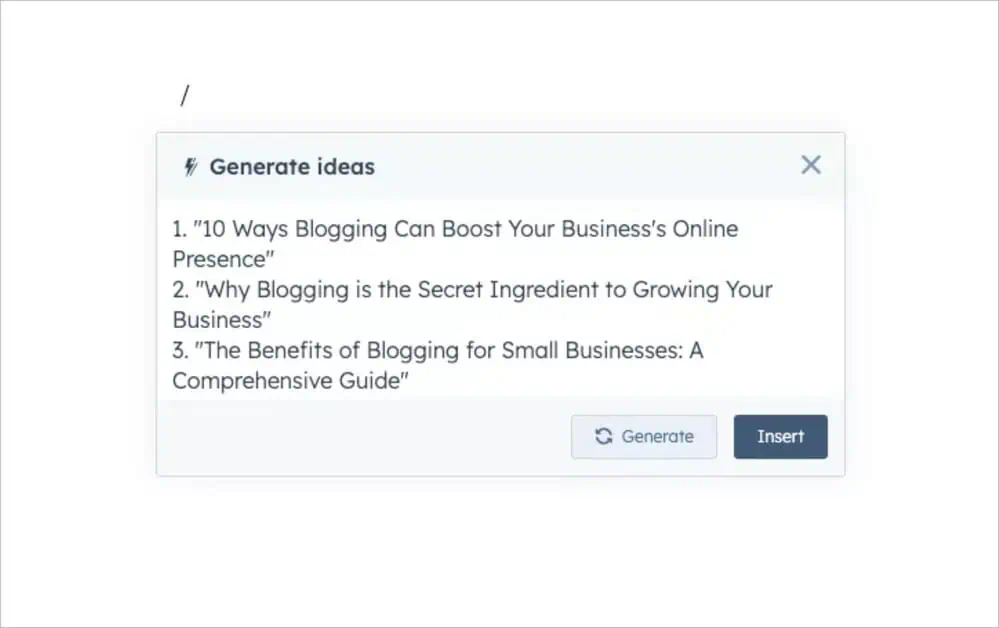
HubSpot’s AI Content Writer stands out because of its versatility. You can use the platform to ideate, create, and edit content for blogs, web pages, emails, social media, and more for free. Extra features are available through HubSpot’s Content or Marketing Hub paid packages.
That means you get access to numerous other tools to promote your content across multiple channels, some of which include SEO and mobile optimization, content repurposing tools, as well as personalized email sequences, for example.
HubSpot’s interface is super user-friendly, making it easy to work on content across multiple channels. As for downsides, there are steep differences in pricing between paid packages, which can make scalability a bit of a challenge.
Still, it's a solid choice that's packed with tools to promote your content across multiple networks within a unified workflow.
If you're not sure which one to start with
Most nonfiction authors will be happy starting with Novelcrafter, since it’s flexible enough to help with outlining, drafting, and organizing ideas across an entire book.
If your workflow is more focused on marketing content, blog posts, or business writing, tools like CopyAI and WriteSonic can be easier to use right away.
And if research and topic organization are a big part of your process, Frase is worth looking at.
Chatbots authors use for brainstorming, research, and drafting
While some AI tools are built specifically for authors, a lot of writers still rely on general AI chatbots as part of their workflow.
The reason is simple. Chatbots are flexible.
You can use them to brainstorm ideas, outline chapters, summarize research, generate character backstories, or even help work through a tricky section when you're stuck.
They’re not always as specialized as tools built specifically for authors, but they make up for that with versatility. And once you get comfortable prompting them, they can become surprisingly useful writing partners.
Below are a few chatbots that many authors are already using in their writing process.
1. Claude Pro
Pricing: $17/month for the Pro version (when billed annually)
Pros:
- Exceptional quality of prose
- Can accept and read books up to 150,000 words in length with a massive context window
- Good all-around tool for any text-heavy AI needs
Cons:
- Lacks several features found in other tools like ChatGPT or Gemini
- Highly censored
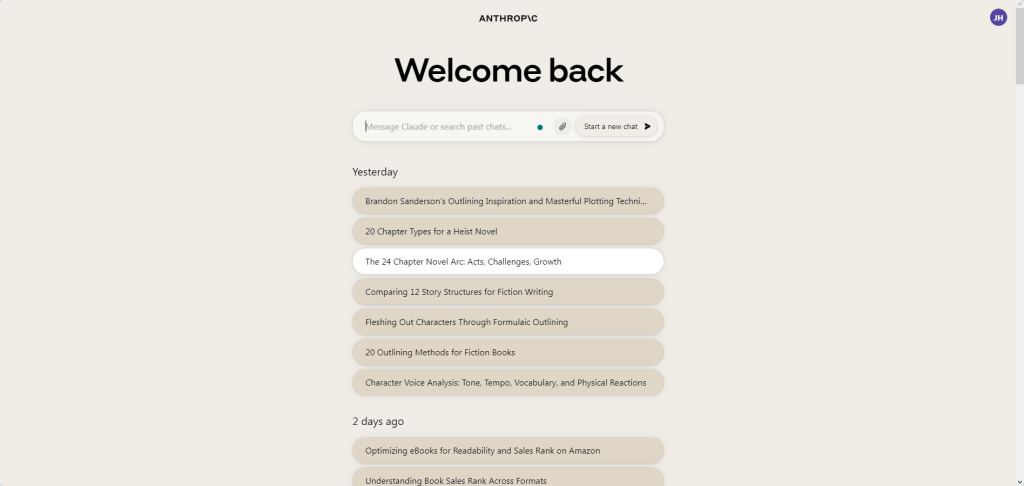
Claude is a little newer than ChatGPT, but it has quickly become one of the most important tools for AI fiction and nonfiction writers.
It's not perfect, lacking some of the more advanced features you'd find in other chatbots, such as Deep Research, voice integration, image generation, etc. But it makes up for it with its minimalist interface and quality output.
Its biggest strength is its prose. As of this writing, the prose is better with Claude than almost any other model, especially if you are writing fiction. Its language tends to be much more natural and human-sounding than GPT models (in general), which makes Claude useful for other types of writing too (such as posting to social media, crafting content on Substack or your blog, etc).
Additionally, most of the models that it offers have a 200K token limit, which makes it really good for analyzing your current novel, generating marketing material, creating a wiki, having lengthy instructions, etc.
Some of the additionally features that I enjoy about Claude include:
- Claude Projects
- Google Drive integration
- The ability to create and edit styles
Overall, when it comes to pure text writing, Claude is my favorite chatbot. Although this, admittedly, is due mostly to the quality of the AI models for written prose. If any of the other chatbots had better prose, along with all of their other features, I would likely prefer them.
2. ChatGPT Plus
Pricing: $20/month for the Plus version, $200/month for the Pro version
Pros:
- The most powerful
- The most features
- Access to specialist reasoning models
Cons:
- Not the best in terms of human-sounding prose
- Somewhat censored
ChatGPT Plus is perhaps the most powerful of the chatbots, at least as of this writing. It has a large list of features, features some of the most powerful LLMs from OpenAI, and has some additional tools that are super valuable to authors.
The downsides are similar to what you'd see with most other chatbots, aka censorship of certain NSFW content types, so if you write erotica or excessive gore, you should probably look somewhere else.
Additionally, I've found the prose quality of most GPT models to be somewhat lacking in readability. It often comes out as too flowery, excessive, or over the top. Some of the models have made improvements to this (for instance the 11-20-2024 version of GPT-4o had a “creative writing update” that made it better for prose). But overall, I'd say the other models in other chatbots like Claude or Gemini are better than the GPT models found in ChatGPT, at least for creative writing.
Some of the additionally features that I enjoy about Claude include:
- ChatGPT Projects
- Advanced Voice Mode (like having your own personal Jarvis)
- Dall-E Image Generation
- The ability to create and share custom GPTs
- Canvas (to edit output directly in ChatGPT)
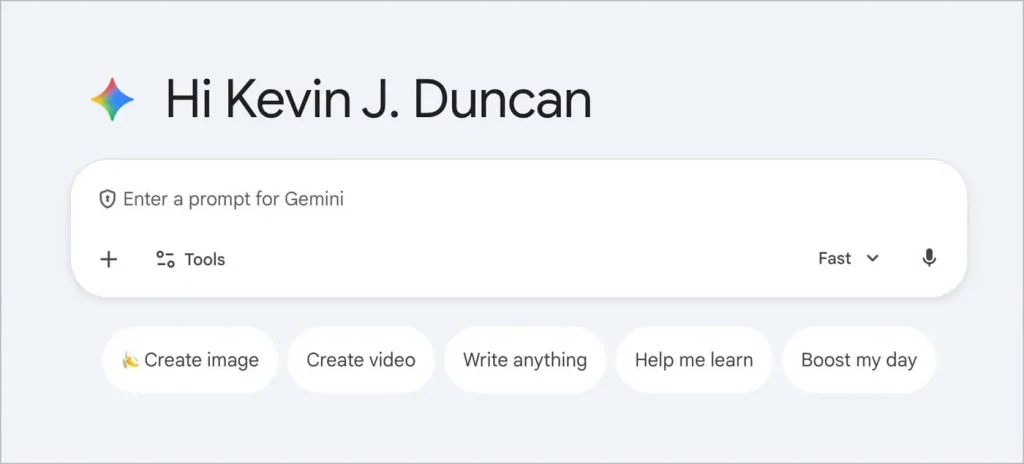
3. Gemini Advanced
Pricing: $19.99/month for Google AI Pro, $249.99 for Google AI Ultra
Pros:
- Good for brainstorming
- Great at understanding the web
- Integrated with the Google ecosystem
- Comes with 2T of Google Drive storage
Cons:
- Doesn't have as many features
Gemini is a favorite of many authors, both for fiction and nonfiction. While I don't find myself using it as often as the others, that may change in the near future, as some of their more recent models have been much higher quality.
While it's a little thing, one of my favorite aspects of Gemini Advanced (the paid version) is the fact that I get 2 terabytes of Google Drive storage. As an author in need of a secure and cloud-based storage solution for all my high-rez book covers, audiobooks, and such, this is actually a great deal by itself, and even better that Gemini integrates into Google Drive as well.
In fact, this is possibly Gemini's greatest advantage: it's connected to the Google ecosystem, which means it can seamlessly search the web and YouTube videos, but more importantly it can integrate with my Google Workspace, giving Gemini the ability to help me in Google Docs, Gmail, and more.
And it doesn't hurt that the LLMs that Gemini offers are actually pretty good. The early ones were notable for being good for brainstorming, and more recent models have proven to be decent for natural-sounding prose as well.
It also has its own Deep Research feature, which is one of my favorite AI features for authors, and one that I think ALL authors should take advantage of.
The downside is that it doesn't have quite as many features as some of the others, such as Projects, voice integration, etc. However, it makes up for this by offering the integrations mentioned above, since those are features that neither Claude nor ChatGPT offer at the same level.
4. Mistral's Le Chat
Pricing: Free
Pros:
- Best free option
- Has integrated Flux image generation
Cons:
- Doesn't have as many features
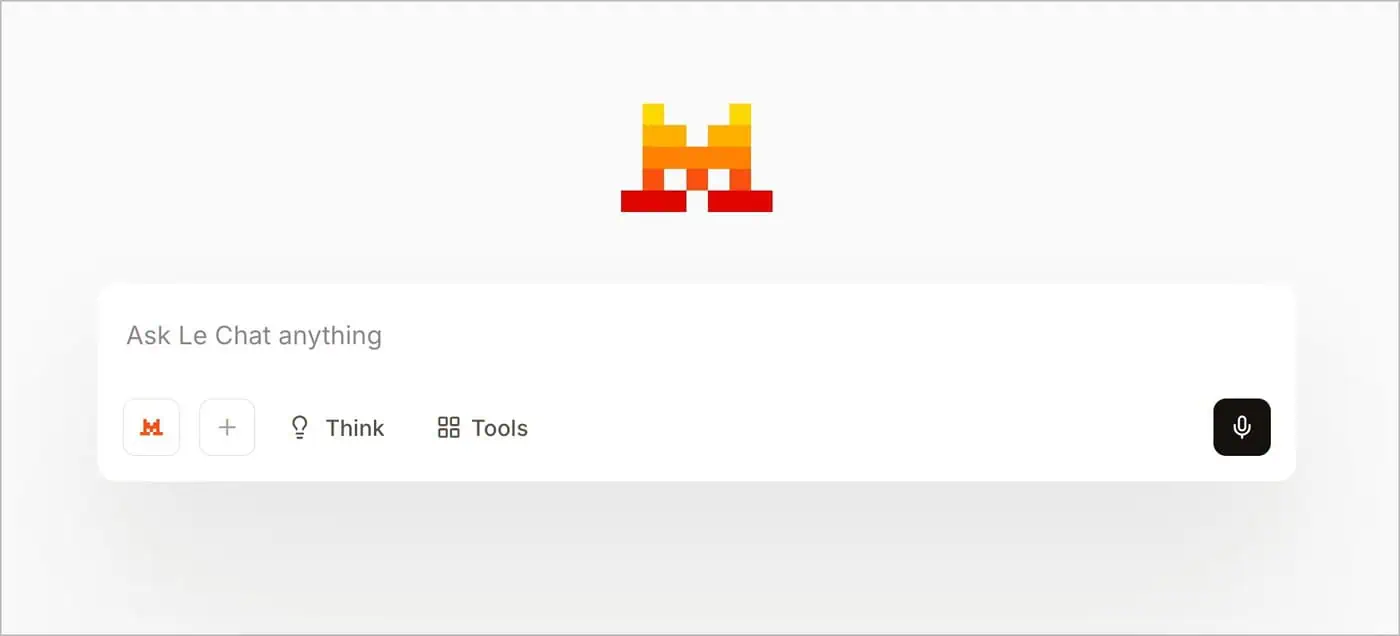
While simple, Mistral's le Chat, is possibly the best free chatbot out there. Not only is the text generation free (at least for now), but it also has features like Black Forest Lab's Flux AI image generation, which is one of the best image generators out there.
The downside is, of course, that it doesn't have as many features as other chatbots, but that is to be expected since this is not a paid service.
5. OpenAI Playground (and other APIs)
Pricing: Depends on the chosen model, with a pay-as-you-go pricing structure.
Pros:
- Offers all features of ChatGPT
- Highly flexible
- Affordable for many users
- Allows editing of previous responses
Cons:
- Pay-as-you-go pricing model
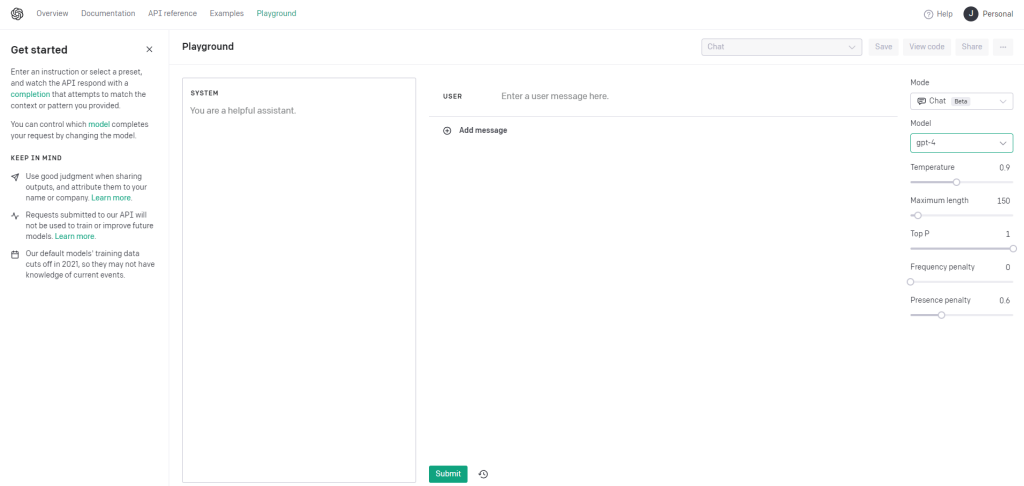
OpenAI Playground and ChatGPT Plus share a close resemblance, as they are essentially built on the same foundation. However, there are some key differences between these two AI writing tools that make each more appealing to different types of users.
One notable advantage of Playground is its ability to edit past responses, giving authors more control over their generated text. Nevertheless, there's a limit to how much memory it can retain, so users may need to delete past responses if they reach that threshold.
The pay-as-you-go model of Playground presents another challenge, as it may cause you to use AI less creatively and iteratively, since you'll be charged for each chat. However, the pricing of these models is generally quite low (except for some of the beefier models), which means that for the same amount of usage you get out of ChatGPT, you might even pay less.
But the good news is that OpenAI's Playground is a far more flexible option. Not only does it have most of the features you'll find in ChatGPT, but you also get access to some more advanced features, like the ability to modify the Temperature, Top P, etc. These are features that can significantly improve the creative ability of individual models, and are worth experimenting with if you're serious about writing.
Side note: While this section specifically highlights OpenAI's playground, it's worth noting that both Claude and Gemini have their own versions, and the same rules apply there. They are both worth checking out if you want a slightly more flexible, but pay-as-you-go version of the respective chatbots.
6. Perplexity
Pricing: $20/month for the Pro version, $200/month for the Max version
Pros:
- The ultimate research tool
- Stays up to date with current events
- Highly customizable
Cons:
- None
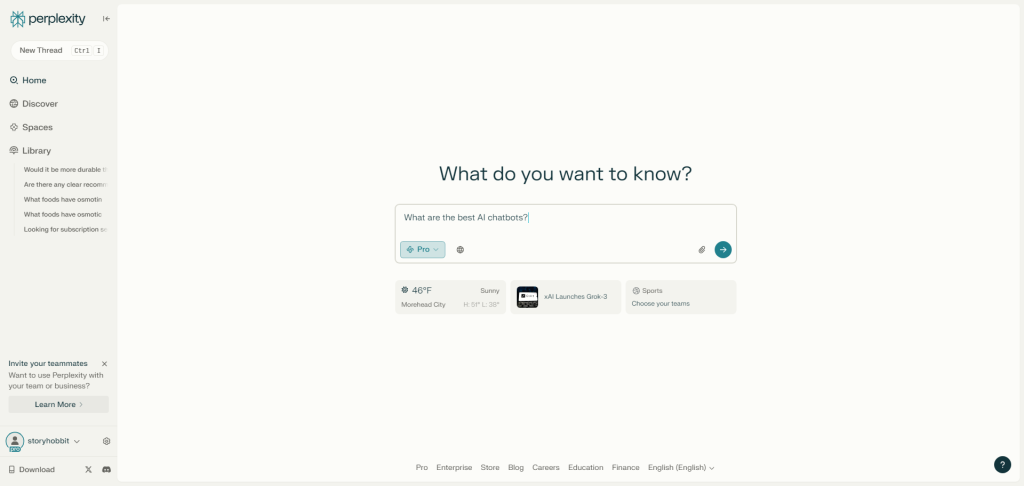
Perplexity is not a writing tool in the same way as other tools on this list. However, I consider it to be one of the most useful, for both fiction and nonfiction.
Perplexity is the ultimate research tool. I'm not lying when I say I now use it more than Google search.
Perplexity will essentially research the entire web when you ask a question, then give you a succinct answer that summarizes what it has found, and also gives the sources so you can double-check its accuracy (which is almost always very good).
For authors of both fiction and nonfiction, having a simple research tool like this is invaluable. I use it all the time to research my historical fantasy novels, but it's also good for everyday inquiries, like what exactly is ashwagandha and would a supplement be good idea (an actual query I made)?
Of all the AI subscriptions I have (and I have many) this is possibly the one I return to most often. It's definitely worth the cost for a Pro subscription.
If you're wondering which chatbot to start with
Most authors these days start with ChatGPT, simply because it’s the one most people are familiar with and it’s easy to experiment with. If you tend to write longer material and want responses that feel a little more thoughtful or structured, Claude is another tool many writers gravitate toward. And if you’re already using Google’s ecosystem or doing a lot of research-heavy work, Gemini can sometimes fit nicely into that workflow.
The truth is, many authors end up experimenting with more than one chatbot over time. Each one has slightly different strengths, and the best way to figure out which one works for you is simply to try them and see how they fit into your writing process.
A few newer tools authors are experimenting with
Most of the tools earlier in this guide are already widely used by authors.
But AI writing software is changing quickly, and new tools are constantly popping up. Some disappear within a year, while others slowly improve and carve out a niche.
Here are a few newer platforms that writers have started experimenting with.
Squibler focuses on speed and simplicity. The idea behind the tool is to help writers get words on the page without overthinking the process. It combines a distraction-free writing environment with some lightweight AI features for brainstorming and drafting. Some writers enjoy the minimal interface and “flow mode,” though the tool is still fairly young and doesn’t yet have the depth of more established platforms.
If you want a deeper look at how it works, Kindlepreneur has a full review of Squibler.
Dibbly Create takes a more structured approach. Instead of acting like a general writing assistant, it tries to guide authors through the entire book-writing process step by step, including planning scenes and generating drafts. The concept is interesting, but reactions from writers have been mixed so far. Some like the planning system, while others find that the generated text still needs a lot of rewriting.
Dave published a detailed review of Dibbly Create if you want to see how it performs in practice.
Notion AI is a little different from the other tools on this list. It isn’t designed specifically for authors, but many writers have started using it anyway because it’s built into the broader Notion workspace. If you already use Notion to organize research, outlines, or character notes, the AI tools can help summarize information, clean up rough drafts, and generate ideas.
The downside is that Notion still isn’t a true long-form writing environment, so most authors end up pairing it with another drafting tool.
None of these tools have replaced the more established options yet, but they’re interesting enough that many writers are keeping an eye on how they develop.

Book Marketing Made Simple
Over 47,000+ authors, NYT bestsellers, and publishing companies use Publisher Rocket to gain key insight to the market.
Help Your Book NowFinal thoughts on choosing AI writing tools
AI writing tools are evolving quickly right now, and new platforms seem to appear every few months. Some of them disappear just as fast, while others slowly improve and become genuinely useful for authors.
The key is remembering that no AI tool replaces the writing process itself. What these tools can do is help with specific parts of it, whether that’s brainstorming ideas, organizing research, outlining chapters, or getting past a rough patch when you’re stuck.
If you’re curious about using AI in your writing workflow, the best approach is simply to experiment with a few of the tools listed above and see which ones fit the way you work.
And since AI isn’t limited to writing anymore, you might also want to check out our guide to AI art for authors if you’re interested in things like book covers, promotional graphics, or visual brainstorming.
Finally, if you want deeper training on how authors are actually using AI tools today, Jason also runs a membership community called Story Hacker, where he teaches writers how to use AI for both writing and publishing.
You can learn more about it here.