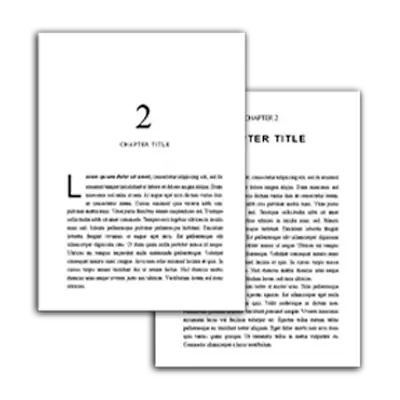
When I first went to publish my book, I got really confused about what is the right file format to use for my ebook and print book. I went to Amazon and heard about mobi, but then saw that Epub was preferred. Then there was pdf.
Furthermore, as I went to each marketplace (Barnes & Noble, Apple books, Kobo, etc.) I noticed that they all had different file formats and requirements for authors.
So, this got my thinking…what is the difference? Which file format should I use? Epub or mobi? PDF or something else?
The good news is that after you read my breakdown of Epub vs Mobi vs PDF, you'll quickly see that there is actually one file format you should use for ebook, and one your should use for print, NO MATTER WHAT market place you are publishing in.
Proper formatting is your ticket to eBook publishing. If you’re publishing on multiple platforms, you’re going to need different kinds of formatting for each. But not to worry, this articles will break the process down for you.
What Book Format Should You Use for Ebook? : EPUB vs MOBI or AZW3?
Let me just cut to the chase. In almost every case, as I learned the hard way, you should start by using the EPUB file format for your ebook.
Even if you plan to distribute your eBook on the Amazon marketplace, you should use the EPUB file, as this is what Amazon actually recommends and accepts. Previously, Amazon required a MOBI file, but this file has been discontinued since 2022 and is no longer necessary. Instead, Amazon WANTS you to submit an EPUB file.
Fun Fact: Even though you are supposed to and should sumbit a EPUB file, they automatically converts your EPUB file to the AZW3 file that actually appears on your Kindle.
So there is no need to worry about MOBIs or AZW3s. Just make an EPUB.
All other marketplaces of significance accept EPUB files without the need for conversions.
What Book Format Should You Use for Print Book? Doc vs PDF vs Epub
PDFs are your best option for graphically detailed eBooks/documents. PDF is the only file format of these three that maintains the fixed format of how graphics appear on the page. This also makes it more limited, but we’ll get into that later.
EPUBs reflow and resize all sorts of elements which may result in a huge change to the appearance you intended.
Which Marketplaces Accept Which Formats?
Now that we understand that we should use Epub for ebooks and PDF for print books, I want to show you that this not only works best for Amazon, but also every other market place out there. Notice that all the other file formats like AZW3, Mobi and even HTML are accepted in some places, they are not accepted in all places.
Most other marketplaces, such as Bookshop.org, accept EPUBs. Some accept multiple formats, for example, Apple Books and Google Play accept EPUBs and PDFs.
Here’s a side-by-side comparison of EPUB vs. MOBI vs. PDF and other formats, as well as which marketplaces use which format:
| Marketplace | EPUB | MOBI/AZW3 | HTML | |
|---|---|---|---|---|
| Amazon | (no embedded formatting) | (only on the Kindle app, not the Fire tablet) | ||
Apple Books | ||||
| Kobo | ||||
| Barnes & Noble Press | ||||
| Google Play Books |
What Are the Differences: EPUB vs PDF vs MOBI
So, what confused me as an author was if Epubs are better for ebooks, and pdf is better for mobi, then what are the differences between all these files? I did a bit of research and found that:
EPUB is a universal eBook file format. EPUBs are reflowable, resizable, and can contain digital rights management (DRM) functionalities. Although Amazon used to reject EPUB files until they were converted to MOBI files, they now accept EPUB files onto their Amazon Kindle marketplace.
MOBI is the remnant of an eBook company Amazon bought eons ago. The MOBI name and file format are mostly obsolete, but its descendants (such as AZW, AZW3, and KFX) continue on as Amazon Kindle’s file format of choice. Many people in the biz still say “MOBI” when they mean “AZW3” or “KFX”.
PDF is the most printer-friendly file format. This means your graphically detailed manuscript remains as graphically detailed as you intended. However, because PDFs are fixed format, they don’t resize or reflow well.
How I Format My Books to Create EPUB, MOBI, and PDF Files
Over the past 10 years, I have used just about every book formatting software, service and tool out there. I used to do it the hard and limited way of using Word Doc, and then following a ton of YouTube videos, but this was both tedious, time consuming and un professional.
It wasn't until I started using Atticus, that things really turned around for me. Not only is it incredibly easy to use, but it allowed me to make some amazing chapter themes and do things I never thought was possible inside my book!
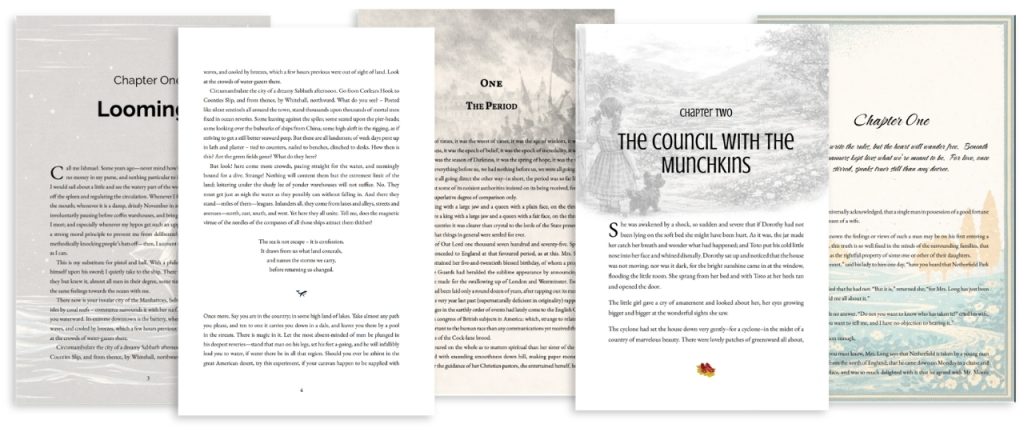
The best part about using Atticus is that my readers absolutely love what I've created and my reviews reflect that. So, be sure to check out Atticus and start formatting beautiful books and reflect the care and professionalism you put into your writing.
Explicit Details about Epub, and PDF
I try to write my articles for everyone, so in this article I started with what I think most of you needed to know…the bare minimum to not fall victim to choosing the wrong book file format like I did. That should be good to set you on your ways to publishing and publsihing with confidence.
However, I know there are many of you who would like to get into the nitty gritty and learn a bit more on Epub files and PDF files when it comes to self publishing. And luckily I did a bunch of research that as well. Here are my findings about those file formats, their history, the pros and cons and more.
EPUB — The Gold Standard for eBook Publishing
An EPUB file in the most common document format for eBooks and other multimedia files. EPUB stands for “electronic publication.” An EPUB file is actually an archive file consisting of XHTML files that carry your content. Based on HTML and CSS, EPUB is free, open-source, and open standard.
Created and certified by the International Digital Publishing Forum (IDPF) in 2007, EPUB is the most widely supported vendor-independent eBook format. Simply put, more eBook readers can read EPUB than any other format in the world.
EPUB 3.2 was released in 2019 — the most recent update, as of this writing.
The Book Industry Study Group has endorsed EPUB 3 as the format of choice for eBooks worldwide.
Have you ever read an eBook that was a pain to read? (And I’m not talking about James Joyce’s Ulysses.) If you found yourself constantly resizing the text and layout of your e-reader, you probably weren’t reading an EPUB. EPUB files automatically adjust to the size of your device — be it a smartphone, tablet, laptop, or e-reader — so that you have a great reading experience. This is called “reflowable,” and it’s pretty great.
EPUB files are:
- Reflowable
- Resizable
- Fixed-layout
- Good for highlighting, bookmarking, and even changing background colors
- Friendly with inline raster and vector images
- Able to contain DRM as an optional layer
- Used by virtually all eBook readers
Is EPUB better than MOBI? Yes, EPUB is better than MOBI in most circumstances. Now that Amazon has converted to using EPUB files, there is no need to use the MOBI.
Amazon now accepts EPUBs on its marketplace but converts EPUB to their own AZW3 file during upload.
What Are the Pros and Cons of Using EPUB?
Pros for using EPUB files:
- EPUB files are open source.
- When compared to other eBook formats, EPUBs are just easy (both to create and edit).
- Virtually all publishers accept EPUB books on their marketplaces.
- Virtually all eBook readers open EPUBs, including the Nook, Android devices, Apple Books, Sony Reader, Adobe Digital Editions, and so many more.
- With the ability to highlight, resize, and bookmark, EPUBs are very reader-friendly.
- You can easily add multimedia to EPUB files, like tutorial videos, illustrations, and just about anything else you can think of.
- Since it’s based on HTML, it’s highly adaptable.
- If you’re using Google Docs, you can download your doc as an EPUB — unlike MOBI/AZW3. Evan large docs can be downloaded as EPUBs — unlike PDFs.
Cons of using EPUB files:
- Digital rights management (DRM) protection is an optional layer in EPUBs, meaning this anti-piracy functionality is only present in some EPUBs, not all.
When Should I Use EPUB?
You should use EPUB as your primary choice whenever you want to publish an eBook. Virtually all publishers accept EPUB eBooks, and they’re very author-friendly and reader-friendly.
Even Amazon accepts EPUB eBooks. However, they immediately convert them to their own file format: AZW3 or KPF (the newest versions of the file format previously known as MOBI). This may mess with your eBook’s formatting. Most of the time, this doesn’t happen, but that’s why it’s important to review formatting when you upload your book to KDP.
If you’re publishing with Amazon’s Kindle Direct Publishing, use Kindle Create to make your eBook into a KPF so you can ensure your eBook looks exactly like you want it on a Kindle device.
You can also sideload EPUB books onto your Kindle, which is great for delivering free reader magnets to your readers, or to deliver ARC copies. Read more about that in this article.
Is EPUB or PDF better? EPUB is better than PDF for eBooks. PDFs may be better for printing and possibly graphically detailed eBooks such as children's books or comic books, but EPUBs are designed to be reflowable, resizable, and reader-friendly. PDFs are not really designed to be read as eBooks, unless you're using a larger eReader such as the Kindle Scribe or the Remarkable.
What Is Sideloading?
Sideloading means transferring a file from one device to another, similar to “uploading” and “downloading”. This transfer may occur over WiFi, Bluetooth, or by a USB drive or app.
Sideloading can be associated with pirating books and other media because it’s done without purchasing the book directly from a platform. However, authors often use sideloading to distribute advanced reader copies (ARCs) before their book is publicly available for purchase.
MOBI files used to be necessary for sideloading. Now you can do it with the EPUB file. You should be able to connect your Kindle device to your computer over your WiFi network, then drag and drop your files from your computer onto your Kindle. Even easier — you can download a number of EPUB sideloading apps, such as Amazon’s Send to Kindle app, to drag and drop files from anywhere onto your Kindle device.
Extra Resources for EPUB
- EPUB Format Advantages and Limitations
- How to Open an EPUB File
- EPUB 3.0 Advice from the International Digital Publishing Forum
PDF — The Print-on-Demand Solution
The Portable Document File (PDF) is a file format that debuted in 1993, and it’s still one of the most recognizable and widely used file formats in our modern world. It is most helpful in creating printer-friendly documents. However, there are rare situations when you want to format your eBook as a PDF.
What Are the Pros and Cons of Using a PDF?
A PDF is not really a true eBook. It’s a print-type document with a fixed layout.
Pros for using a PDF as an eBook:
- PDFs are fixed format. This means they will appear the same no matter what size screen you are on. This may be a negative in some cases, but you may desire a PDF’s fixed format for graphically detailed manuscripts that would not translate well when reflowed, like EPUBs do.
- Most electronic devices can open a PDF with built-in software — more programs than can open an EPUB or certainly a MOBI/AZW3.
- PDF format may be the way to go if you’re looking to print your eBook, which many authors still do. This is where POD (Print on Demand) services come in handy. Companies such as KDP Print and IngramSpark are two popular choices. These companies print what you need when you need it without having to amass a surplus of print books — and they require PDF files to do it.
Cons for using a PDF as an eBook:
- PDFs are not reflowable or resizable. If a reader tries to zoom in, or read on small screens, a PDF may look wrong or be illegible.
- PDFs are not designed to be eBooks.
- Barnes & Noble Press (and the Nook) does not accept PDFs on its online marketplace.
Extra Resources for PDF
Which eBook File Format Is Best For You?
The eBook file format that’s best for you depends on your individual situation, but most authors should definitely start with an EPUB file first.
Which is better: EPUB vs PDF? Both formats have their benefits:
- EPUB is the universal format accepted by virtually all publishers and read by virtually all e-readers.
- PDFs are a must if you have a graphically detailed manuscript and need a fixed format like when publishing a print book.
That's exactly what I do. I have both formats available just in case I'm going to utilize eBooks (EPUB), or print (PDF). Each has its own individual strengths that must be considered.
Hopefully, this article has given you a better understanding of the benefits of each file format for your eBook.