
Using a font in a printed book is usually simpler than authors think.
If a font comes with Windows or Microsoft Word, that does not automatically mean you need to buy a separate license to use it in your paperback or hardcover.
Where authors get into trouble is usually somewhere else: with third-party fonts downloaded from font sites, with fonts marked “personal use only,” or with uses that go beyond normal document output, such as redistributing the font file itself, converting it, self-hosting it online, or bundling it inside an app or other software.
To be clear, a standard printed book made with Windows-supplied fonts like Times New Roman is not the same thing as unlicensed font piracy. Microsoft’s official guidance states that it does not restrict selling printed output made with those fonts, as long as you are not using software that is specifically licensed only for home, student, or non-commercial use. The bigger risk comes when authors assume that every font they find online works the same way. Many do not.
That's why I think we authors should always take care to be compliant, and choose fonts that we know we can absolutely use. This includes fonts in the book, chapter title, or even on your book cover.
So, in order to protect yourself, it’s best to have an understanding of font copyright laws, how to figure out if your font is allowed to be used, and if necessary, how to purchase the rights to use a font.
Editor’s Note: This article has been updated to reflect current guidance on font licensing, including clarification from Microsoft regarding the use of system fonts like Times New Roman in commercial print books. While font licensing can be complex, most standard book publishing workflows are simpler than many authors assume.
Disclaimer: We are not legal professionals here at Kindlepreneur and cannot give legal advice. If you are uncertain about the legalities of the fonts you use, we encourage you to consult a lawyer.
What's My Experience with Fonts and Copyright?

Sadly, I was once approached by a font company stating that I was using their font and asked for proof of a license. It actually scared the mess out of me…until I remembered that I bought a copy (wipes sweat from forehead) and sent them the proof. I never heard back from them.
However, that's not what REALLY got me into fonts. When working on Atticus, and book formatting software, I had to work with a lawyer on font copyright, so as to ensure that the font Atticus used would be safe and compliant (instead of just putting in a font, and putting the onus on the user like some do).
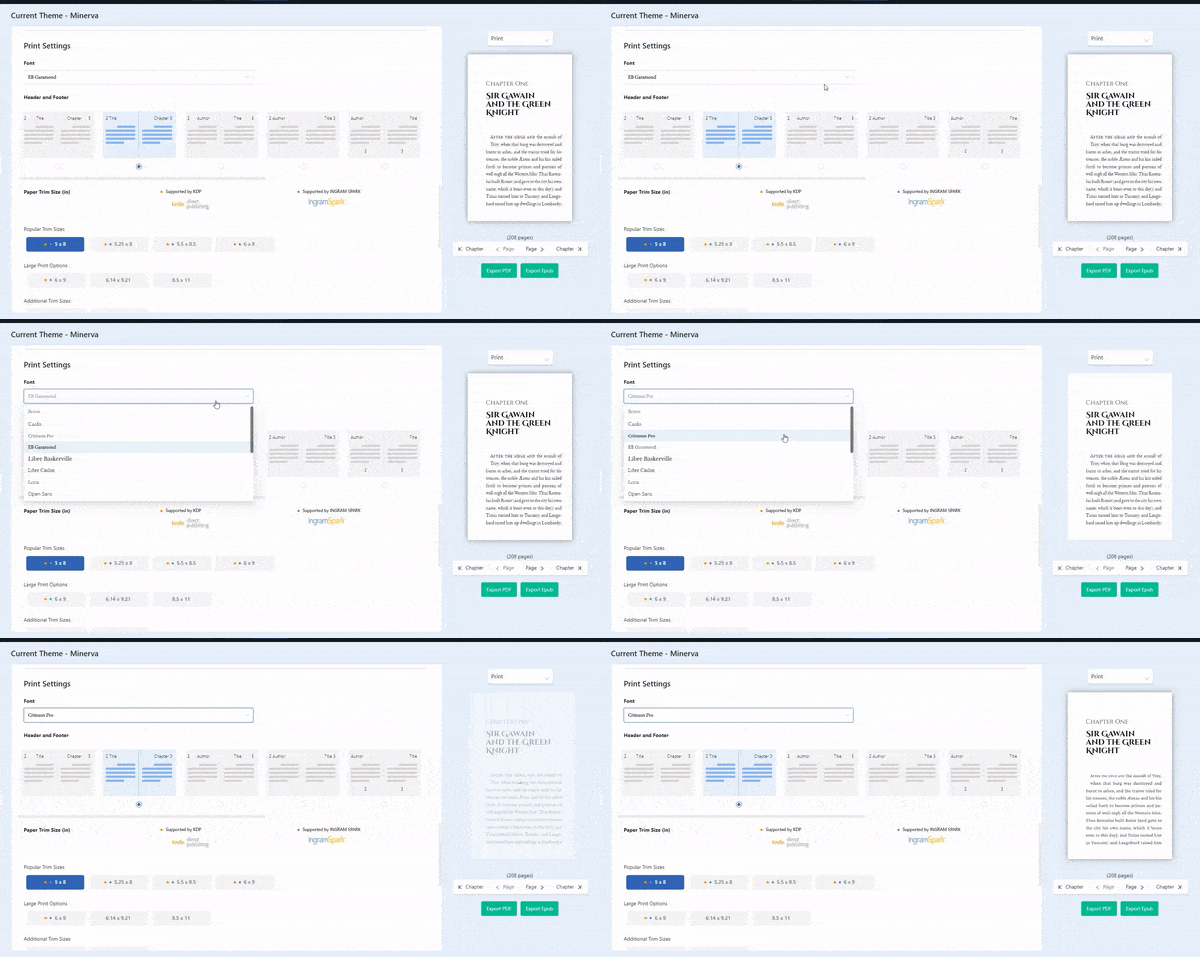
Also, Atticus recently added over 1,600 fonts for authors to safely choose from. Which is a lot more than other formatting softwares use. To do this, it required a lot of licensing and legal work to ensure compliance. So, if you format your books with Atticus, rest assured, your font choice is safe.
Font vs Typeface: What is a Font Really?
A common mistake people make is the use of the word font. When most people say font what they actually mean is typeface. So, to help us all be on the same page, here is a quick breakdown between a font and typeface.
A typeface is the individual lettering design that serves as the basis for all of the individual fonts within that design.
A font is the specific computer program for each variation of every typeface. This includes different sizes, bolding, and other stylistic variations.

So in this case, if you had an italicized 12 point Times New Roman style, Times New Roman would be the typeface, and its individual variation (in this case 12 point size and italics) would be the font.
However, most people use “font” to refer to the typeface as well. So for simplicity's sake, we will use both terms interchangeably.
Can fonts be copyrighted? In the United States, fonts are protected under copyright. However, typefaces are not. But they can be eligible for patent protection through a design patent. In addition, a font name can also be trademarked so you can't always use the name.
What this means is that you could basically recreate a typeface from scratch and name it something completely different, and in most cases, you could use it. Creating a font from scratch, however, is much easier said than done.
How to Legally Use Fonts
There are many companies out there that earn their revenue by creating and selling fonts – think of it like word art. In some cases, they will make it free in a certain way so people can see them and find them.
In this, font is like a stock photo. You can purchase a stock photo for your book cover, but you need to check the fine print to ensure you bought the correct license to sell it. So make sure that whatever license you buy, it includes print publications as part of it.
For example, most of us know the basic fonts bundled with Windows and commonly used in Microsoft Word, such as Times New Roman. For normal book publishing, Microsoft says it does not restrict selling printed output made with Windows-supplied fonts, which includes books, provided you are not using software that is specifically licensed only for home, student, or non-commercial use.
That means a typical author using Word or another compliant document app to create a print-ready manuscript usually does not need to go buy a separate Times New Roman license just to publish a paperback or hardcover. Where extra licensing enters the picture is when you want rights that go beyond ordinary document creation and print output, such as redistributing the font, converting it, hosting it on a server, or bundling it into software.

You may still see Times New Roman sold on sites like Monotype, Fonts.com, or MyFonts. That does not mean every author needs to buy it before printing a book from Word. Those separate licenses are generally relevant when you need expanded rights outside the normal Windows/Office document workflow.
In other words, there is a difference between:
- using a Windows-supplied font in a normal document or print workflow, and
- licensing that typeface separately for broader commercial, software, web, or redistribution use.
Note: See this page for a decent breakdown of the different licenses for Times New Roman.
General Types of Font Licenses You Should Look Out For
There are a variety of font license types, as you can see in the Times New Roman example above, but most of the fonts that you encounter online will fall into one of three categories:
- Free For Personal Use
- Free for Personal and Commercial Use
- Requires the Purchase of a License
Let's break all three of these down.
1. Free for Personal Use
This means that you can use the font for anything you want as long as it remains in your personal use. You cannot use this font in any kind of product, including in an e-book, a book cover, or a logo.
If you want to use it for your own personal documents, in Microsoft Word, or creating memes to share on social media, that counts as personal use. But the moment you try to put that meme on a T-shirt and sell it for profit, that's where things get tricky.
Many fonts have a free option that is easily downloadable online. So you need to be careful when using any free fonts in a commercial item. Make sure to check first.
Also, be careful of the ones that say it is free but up to a certain amount of people seeing it.
2. Free for Personal and Commercial Use
These are the holy grails of fonts to use. You can use them in any way you like, personally or commercially, and not have to worry about any legal repercussions. While there are fewer of these, they come with less of a headache because they come with far fewer licensing concerns.
Just make sure you know for certain which fonts allow personal and commercial use for free.
Font Squirrel is a great place to find fonts like this. Also, Google Fonts are like this too.
3. Requires the Purchase of a License
Lastly, these are the fonts that make up most fonts out there: those with a paid license.
The reality is, if you want to use a third-party font in your book, cover, branding, or marketing materials, there is a good chance you will need to check the license carefully and possibly pay for commercial rights. But that is a different question from using standard fonts supplied with Windows or Word in normal printed book output.
Even if a font is free, chances are the free version is only for personal use. If you want to use it in a commercial project, it will cost money. The licenses can take many shapes. It may be that one license will give you access to everything, and you can use it multiple times for multiple clients, or it may be for one-time use or a very specific use type (like using the font in an e-book or a mobile app only).
For authors, the safest approach is to ask which bucket the font falls into:
- a Windows- or app-supplied font being used in normal document and print output,
- a free commercial-use font, or
- a third-party font with its own separate EULA.
If it is a third-party font, then yes, you should confirm that the license covers your intended use, whether that is print, ebook embedding, cover design, web use, or something else.
How to Check a Font’s License Before You Use It
If you are unsure whether you can legally use a font in your book, the real question is usually not whether it is ‘copyrighted’ but what license applies to your use. So, here are the primary steps to find out:
- Step 1: Check for A “Readme.txt” File in Your Download
- Step 2: Check The Website You Downloaded It from for Licensing Details
- Step 3: Check the Official Source or Foundry
Let's walk you through each of these steps.
Step 1: Check for A “Readme.txt” File in Your Download

Most fonts come in a zipped folder, and most of these will have a readme.txt file within that folder.
If you are unsure about the license of your font, the best place to look is in that readme file. It may also be labeled as “license.txt”, “info.txt”, or some variation thereof. If you are unable to find such a file, move on to step two.
Step 2: Check The Website You Downloaded It from for Licensing Details
There are many different marketplaces where you can buy specific fonts, and most of these will tell you what the licensing deals are for that font. If you bought a font through a specific marketplace, revisit that marketplace and see if it spells out what type of licensing agreement you have.
If you didn't buy the font from a specific website, or you can't find that information, then it's time to move on to step three.
Step 3: Check the Official Source or Foundry
If the font came with Windows, start with Microsoft’s typography documentation. If it came with another app, check that app’s license terms. If it came from a font marketplace or foundry, look for the font’s official EULA there rather than relying on forum threads, blog posts, or reposted summaries.
A Google search can help you find the official source, but don’t treat random websites as the final word on licensing.
If the font is supplied with Windows, Microsoft’s typography documentation is the best place to start. In particular, Microsoft’s font FAQ explains what you can do with Windows-supplied fonts in print output, graphic files, logos, and embedded documents.
Where to Find Fonts (Free and Paid)
Most authors never need to purchase a font just to publish a book.
If you’re using standard fonts that come with Windows or your writing software, you’re typically fine for print. This section is for when you want something more custom, or when you’re using fonts from outside your default system.
Free fonts (safe for commercial use)
These are the safest places to find free fonts for commercial use. Fonts listed here are typically cleared for use in print, ebooks, and other commercial projects — but you should still double-check the license for each font.
Paid font marketplaces
These marketplaces offer professionally designed fonts, usually with clear commercial licenses. You’ll typically purchase a license based on how you plan to use the font (print, web, app, etc.).
Note: You generally only need this if you want a specific premium typeface or expanded usage rights (not for standard book formatting).
Use with caution sources
These sites include a mix of free, demo, and personal-use-only fonts. Many fonts here are not licensed for commercial use by default, even if they are free to download.
Always check the license carefully before using these in a book you plan to sell.
Do You Actually Need to Buy a Font?
You probably don’t if:
- You’re using fonts like Times New Roman, Arial, or Georgia
- You’re formatting your book in Word or Atticus
- You’re creating a standard print interior
You might if:
- You downloaded a font from a third-party site
- You’re designing a custom book cover or brand
- You want a specific premium typeface
If you’re unsure whether you need to purchase a font, you probably don’t. Most authors publishing standard books are using system fonts or freely licensed fonts without any issues. Still, as always, your use case may be different.
Fonts You Can Use Free in Your Book
Some fonts are widely available for commercial use, either because they are open-source or included in licensed software. However, it’s important to understand that font names don’t always equal font licenses.
So, when doing research for Atticus, we actually hired a lawyer to help us know for sure what was and wasn't available. For example, a font like “Garamond” may exist in multiple versions from different foundries, each with its own licensing terms.
Some of the more common fonts that are free to use, both for personal and commercial use, include the following:
| Benne | Rosario | Cantarell |
| Cardo | Source Sans Pro | Cinzel |
| Crimson Pro | Spectral | Crushed |
| Garamond | Theano Didot | Delius |
| Baskerville | Young Serif | Emilys Candy |
| Caslon | Aldrich | Euphoria Script |
| Lora | Alegreya | Forum |
| Open Sans | Anton | Great Vibes |
| Open Dyslexic | Audiowide | Helvetica Neue |
| PT Sans | Big Shoulders Display | Life Savers |
As stated, each of these fonts are included with Atticus specifically to help authors have peace of mind that a book generated in Atticus will not lead to copyright infringement over the fonts.
Fonts in Book Covers
One of the areas that self-published authors need to watch carefully are their book covers. Most book covers use some kind of font, and even if the title is a custom design, it’s likely that the text on the back cover, the spine, or the author name are still an established font.
So who is responsible for ensuring that the fonts you use are compliant with copyright law? Is it the cover designer or the author?
In most cases, the responsibility depends on the license terms.
If your designer has given you a book cover with one or more fonts on it, in many cases, your designer’s license covers the final cover design. However, if you plan to reuse the font elsewhere (like in ads, your website, or branding), you may need your own license depending on the font’s terms.
This may sound like a lot of hassle and extra money for just a few fonts, especially when the odds of you getting sued for it are minimal. But thankfully, a lot of fonts are inexpensive to buy, and some of the simpler fonts could also be swapped out for fonts you already own the licenses to.
A Few Things Worth Clearing Up
This is one of those topics where a tiny misunderstanding can send you down a very unnecessary rabbit hole. So let’s clear up the parts that trip most authors up.
Yes. Per Microsoft, fonts that come with Windows or Microsoft Word, like Times New Roman or Arial, are generally fine to use in commercial print books, including those sold on Amazon. You typically do not need to buy a separate license just to publish a paperback or hardcover using those fonts, as long as you’re using properly licensed software.
Usually, no. Most authors either use system fonts (like Times New Roman, Garamond, etc.), or use free fonts that are cleared for commercial use. You only need to purchase a font license if you’re using a third-party font that requires it.
Downloading a font and assuming it’s free to use. Many fonts found online (especially on sites like DaFont) are labeled “free,” but are actually personal use only. That means you can’t legally use them in a book you plan to sell without buying a license.
Some are, some aren’t. Fonts from sources like Google Fonts or Font Squirrel are typically cleared for commercial use, but you should still confirm the license for each font. In fact, always check the license before using a font in a published book.
Same rules apply. If your cover uses a font that requires a commercial license, that license needs to be properly secured. In most cases, your cover designer will handle this. But if you’re using the font elsewhere (like in marketing materials), you may need your own license depending on the terms.
There’s no single standard, but many books use classic serif fonts for readability, such as Garamond, Baskerville, and Palatino. Font choice matters less than consistency and readability.
Final Thoughts
Whew! That was a lot to take in, and I apologize if you are freaking out because you just realize that you didn't have the licensing rights for the fonts in your book. Don't worry, you can easily change it, and there are thankfully few cases (none that I could find in my research) of indie authors getting into trouble with this.
However, we need to protect ourselves, and following the information in this article is a good way to start. Furthermore, you can use Atticus and be rest assured that all of the fonts used in your book file are free to use.
Because we want you to focus on the writing and not have to worry about potential legal problems.
Happy writing!