I've been writing both fiction and nonfiction books for over 12 years. In that time, I’ve used a lot of different book writing software. Some were broad tools like Microsoft Word and Google Docs. Others were built more specifically for authors, like Scrivener, Vellum, Atticus, and plenty of others.
And even after I settled on the tool that now houses my own work, I still keep an eye on everything new that hits the market. That’s partly because of Kindlepreneur, and partly because authors ask me about these tools all the time. Lately, with the explosion of AI and AI-assisted writing software, there are more options popping up than ever.
So when someone asks me what the best book writing software is, I don’t think the answer is as simple as “use this one app and ignore the rest.” It depends on what you need the software to do. A basic writing app is just a place to type words. That’s fine, but typing words is only one part of creating a book.
A true book writing software should help with more than the draft. Ideally, it should help you plan, write, collaborate, format, and eventually turn that manuscript into an ebook or print book you’re proud to publish.
Some tools can handle almost all of that. Others are excellent at one specific part of the process, but need to be paired with something else. Some authors want one tool that does everything. Others prefer a full system: one app for plotting, one for drafting, one for collaboration, and one for formatting.
So to answer the question as honestly as possible, I’m going to start with my personal favorite (the one I think handles the full process best) and then I’ll cover the tools that win in specific areas of book writing.
1. Atticus: Editor's Choice – Best All In One
Back in the day, I used to use Scrivener for writing, google docs for collaborating with my editor, and then a book formatting software to turn my writings into a proper looking epub and pdf file for print. Not only was that expensive paying for all of them, but then I had soooo many different versions of my book as I moved it from software to software.
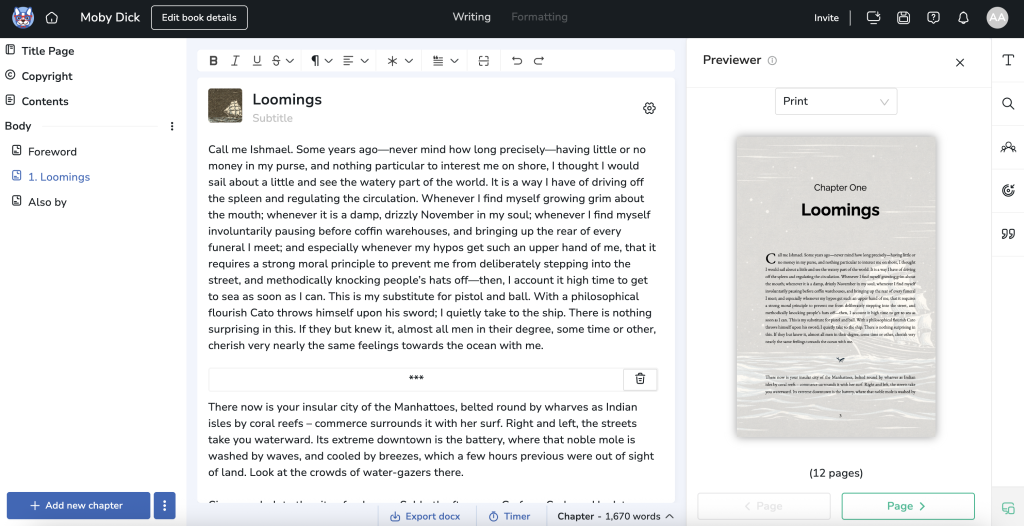
It was because of this pain that I co-founded Atticus and brought it to the market. One of the things I love about it is its versatility… with Atticus, you can write, collaborate, preview, and format your book in the same place. You don’t have to rebuild your manuscript later or move files around and create painful version controls. You don’t have to worry about breaking things when you export. You just write, preview, and export when you’re ready. It's because of this that I like to best describe Atticus as what you'd get if Scrivener, Google Docs, and Vellum got together and had a baby.
I also love that it works pretty much on any type of computer. Windows, Mac, Linux, Chromebook, browser, etc. You’re not locked into one type of computer.
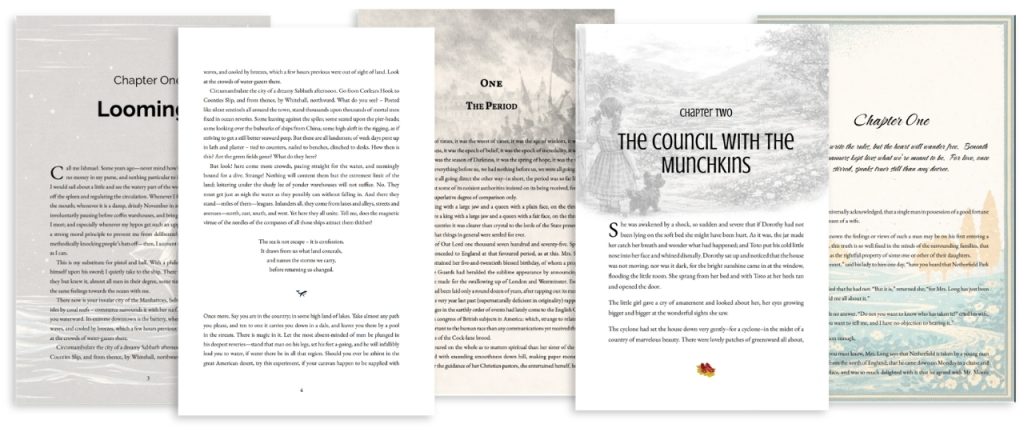
And then there is the formatting. Atticus allows me to make some absolutely stunning looking books. The best part is, it's not only very simple to do these kind of books, but Atticus has wonderful support and tutorial videos to show you.
Another thing I love about Atticus is that it is a one-time purchase, which I think this is incredibly important for authors. I personally do not like the idea of putting all my written work on a subscription based software, so I didn't want people to have to pay for Atticus month after month or year after year. I wanted writers to be able to just pay once and know they could use Atticus for life… never having to move, and never having to worry about it.
One thing I wish Atticus could do (and it's something that'll happen in the future) is be a full plotting tool. If you want deep plotting features, character cards, timelines, or worldbuilding boards, you may still want to pair it with a dedicated plotting app. I also wished it wasn't as buggy when it first came out, but that was several years ago now. The development team has made major strides, and it hums along perfectly now. So, no more problems or issues.
In short… because it's a one time price, does everything you need to make your book, works on all computers and is super easy to use, Atticus is my top choice and the one I use for all of my book writing.
If you want the full breakdown, I go much deeper in my full Atticus review.
2. Scrivener: Best for Pure Writing (But Not for Everyone)
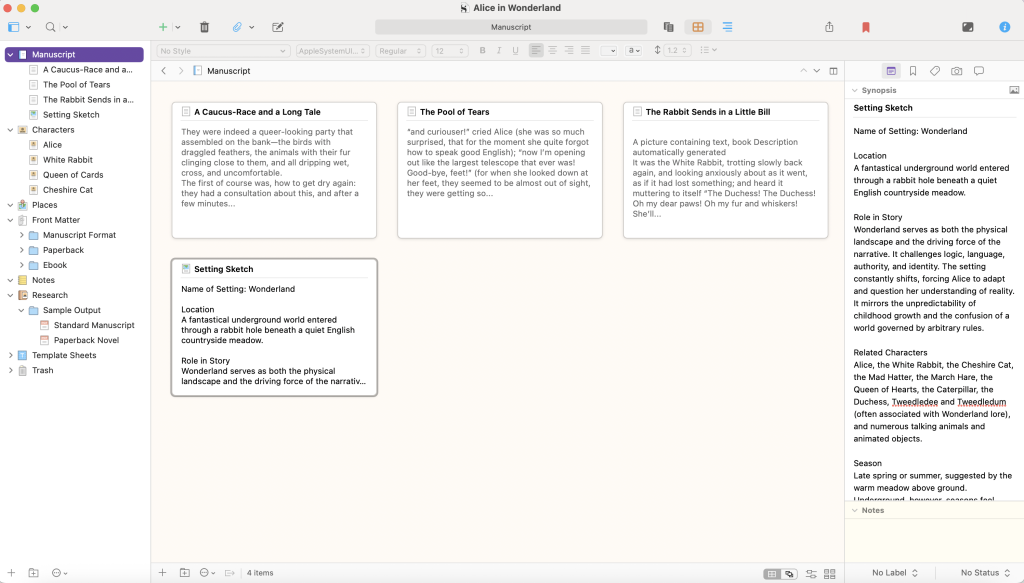
Let's give credit where credit’s due… Scrivener is great for writing. Heck, I used it for years (back when I worked for Apple), and wrote 4 books, as well as my Master Thesis on it while I was at Naval Post Graduate School.

For a pure drafting experience, few tools do it better. And like Atticus, it is also a one-time purchase, which I love. No subscription. You buy it, and you own it. That part is great. (Side note: You can get a 20% off coupon here)
However, major version upgrades may require a paid upgrade. That’s not the same thing as a subscription, but it is different from a tool where future feature updates are included for life. Another issue is that Scrivener updates can feel uneven across platforms. Scrivener is still maintained, but historically the Mac and Windows versions have not always moved at the same pace, which has frustrated some Windows users over the years.
So, what does it do? Well, unlike Atticus it does include two ways of plotting, however, I find this both complicated and not very useful. And yes, it technically has formatting as well. However, you do not want to use Scrivener to format your book. It’s insanely complicated. People literally have to buy a course specifically on how to use the formatting feature. But even with that, what you can format is pretty blasé.
So what usually happens is this: people draft in Scrivener, then export everything to word to collaborate with their editors or Beta readers, and then format using something else, like Atticus. But if you’re doing that, you might as well just use Atticus and keep everything in one place.
I go much deeper into all of this in my full Scrivener review, if you want the longer version. But ultimately, Scrivener is just a good writing app that doesn't fit the bill for an excellent book writing app. There are better alternatives out there. If you get it, you'll need to look for a better formatting software.
3. Sudowrite: Best AI-Assisted Writing Tool (If You're Careful)
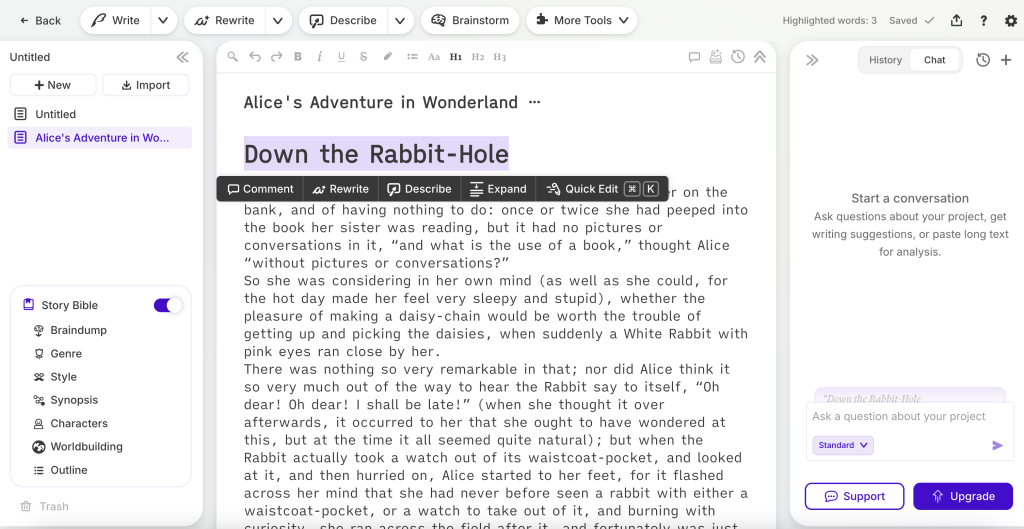
Let's face it, there are many many AI writing tools that are popping up all over the place that claim to either assist authors in writing using AI, or are giant content mills. I have tried many over the years, with Sudowrite being one of the few AI tools I’ve actually found useful for fiction.
I’d never use Sudowrite to write a book for me. But it can help when I’m stuck, bored, or just sitting there staring at the screen with nothing happening. Where people get into trouble is when they start leaning on it too much. If you treat everything it gives you as “good enough,” your writing can start to feel off pretty quickly. So this is very much a use-it-lightly kind of tool.
What I love most about Sudowrite over others of its kind is its layout and aesthetics. Most of its design is pretty intuitive without require LOTS of training in order to use it. It’s also good for brainstorming, throwing out ideas, expanding a scene, or helping you think through what might happen next.
Unlike Atticus and Scrivener, it is subscription-based. However, with something that is resource intensive as AI writing, it actually makes sense that it would be subscription based. You’re paying for an AI system that’s constantly changing, not a static piece of software. I still prefer one-time purchases, but this is one of the few cases where I don’t totally hate the model.
Another problem with Sudowrite is that it does not format anything. But, that's not what it was created for. Their focus is on writing and AI assistance for fiction. So if you use it, you’ll still need something else to turn your manuscript into a real book. That’s why it pairs well with Atticus. You can draft and brainstorm in Sudowrite, then move everything into Atticus to format and publish.
If you want the full breakdown, we go much deeper into how it works (and how people mess it up) in our full Sudowrite review.
And if you do decide to try it, using our link gets you 200,000 bonus credits, which is the only way I’d recommend testing it.
4. Google Docs: Best for Collaboration (But Not Ideal for Long Books)

Google Docs is one of those tools everyone ends up using, whether they planned to or not. It’s free. It’s in your browser. It saves automatically. You can open your manuscript from basically anywhere, on any device, and you can even work offline if you set that up ahead of time. That part is really nice.
But where it really shines is collaboration. If you’ve got co-authors, editors, or beta readers, it’s hard to beat. You can share a link, decide exactly who gets access, and see their comments and suggestions in real time. That means there's no emailing files back and forth and “final-final-v3.docx” nonsense. As a matter of fact, I use Google docs to write my articles for Kindlepreneur, so that I can then have my editor and content manager look it over before formatting it here.
However, a major issue with is that it wasn't built for books. First, when the document gets big with lots of words, it starts to run slow. Second, formatting your work into a print and epub version is very difficult and will require another software like Atticus.
But if you’re writing a full-length book and want something that’s actually designed for that, you’ll probably hit its limits. That said, if you do want to use Google Docs for a book, I’ve written a full guide on how to make it work as smoothly as possible. I walk through structure, formatting workarounds, and the exact setup I’d recommend. You can check it out by clicking the button below.
5. Microsoft Word: Familiar, But Not Built for Books
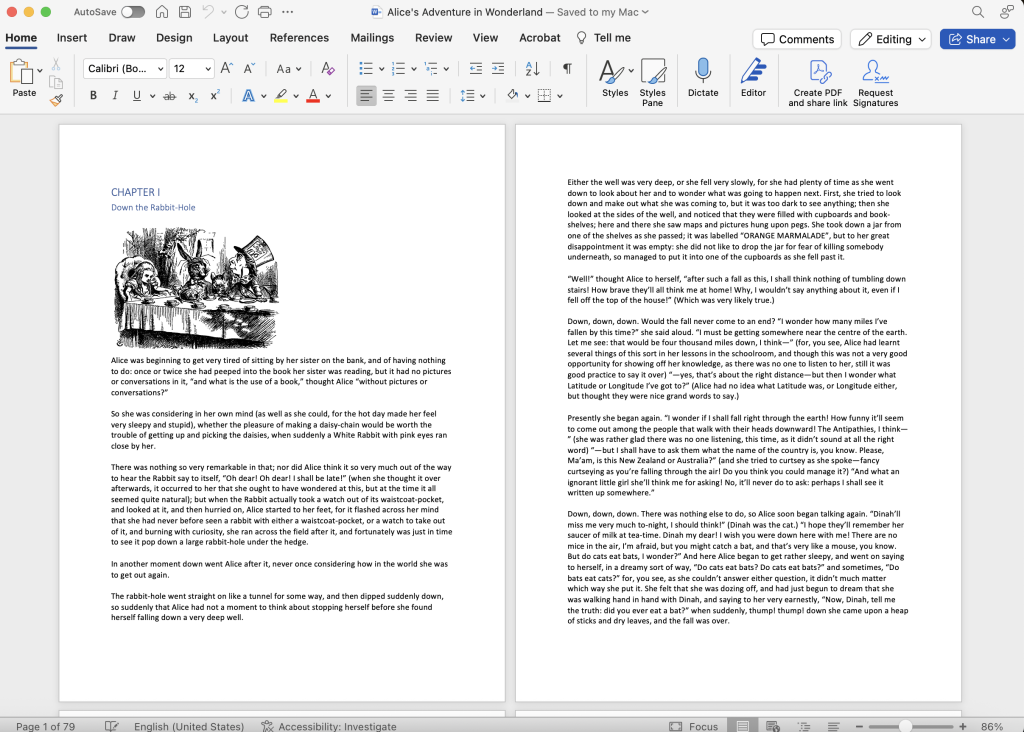
When it comes to drafting, Microsoft Word is fine and probably the most familiar of them all. However, Word was built for ALL types of writing, and not just books.
Now, there are ways you can prepare a word document so that it better aligns with book creation. But, if you try working with something like Atticus or Scrivener, you'll quickly see the major difference between writing a book in Word, as compared to writing a book in a book writing specific software.
One thing I will tell you, though, is my editor LOVES working in Word. The track changes capability is big, and I believe many editors are most familiar with Word and so prefer using it when doing their work. However, it was because of this that Atticus' collaboration function with editors was designed to mimic and feel like Word.
One thing that really hurts Words as a ‘book' writing software is that formatting into a book is huge headache. You can do it, but Word clearly wasn’t made for that. If you do try to foramt with Word, I'd recommend using a formatting template like the one I built here. When I was working on my books in Word, templates were key. But even with a great template, you're super limited in what you can do. 🙁
But the thing that made me drop Microsoft Word so far down this list is that the main version most people see now is Microsoft 365, which is subscription-based. Yes, there’s a free web version, but it’s not the same as having the full desktop app. And if I’m choosing software to house my books, I’d rather not depend on another subscription if I can avoid it.
If you want the longer breakdown, I go deeper in my full Microsoft Word guide. But ultimately, Word wasn't built specifically for us book authors and it shows. It's not cheap or a tool we necessarily already have, and you'll need to buy other software to create your book.
6. Ulysses: Beautiful, Minimal, and Very Apple
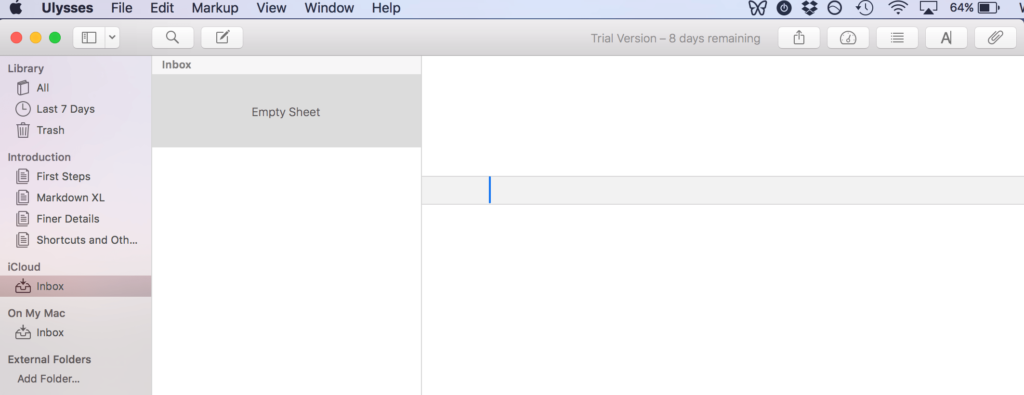
Ulysses is one of the nicest writing apps I’ve ever used. If you care about aesthetics and a distraction-free experience, it’s hard to beat. I love how clean it is, and how easy it is to use as well.
However, there are two big catches. First, it’s Apple-only. Second, it’s a subscription which I am not a fan of when it comes to housing your life's work. You’re paying every year just to keep using it.Some people are fine with that. I’m not.
Another issue, which I've brought up before as well is that doesn't have any other functionality than to write your manuscript. There isn't any legitimate plotting capability, or even a way to format. So, if you are into the aesthetics of Ulysses and are using a Mac, then great. However, you're still going to need a book formatting software in order to turn your work into a book.
I have a full Ulysses review if you'd like to learn more about it. But here’s the quick takeaway:
If you’re deep in the Apple ecosystem and want a beautiful, minimal place to write, Ulysses might be worth a look. If you’re not, there are better options.
Best Book Writing Software Comparison Table
Program | Cost | OS | Formatting |
|
| ||
|
| ||
|
| ||
|
| ||
|
| ||
|
|
Writing Tools I Don't Recommend (Or Didn't Make the Cut)
This is the part most “best of” lists avoid, but I think it matters. There are a lot of writing tools out there. Some of them aren’t terrible, they just don’t make much sense anymore when you compare them to stronger options.
Here’s why the following tools didn’t make the cut:
yWriter: I get why some writers like yWriter. If you love tracking every scene, character, and plot thread, it definitely leans into that. But for me, it feels clunky and outdated, and the actual writing experience just isn’t great. It also doesn’t handle formatting well, so you’ll still need something else to finish your book. And while people call it “free,” that’s mostly true on Windows. On Mac and mobile, you’re paying. If you’re curious, here’s my full yWriter review.
Apple Pages: I’m a big Mac guy, so I really wanted to love Pages. It’s free, it looks clean, and it’s easy to use. But the longer your manuscript gets, the more it starts to feel like you’re using a layout tool instead of a true writing tool. It’s built to make things look pretty, not manage big book projects. And if you’re collaborating with anyone not on a Mac, it gets annoying fast. Honestly, even though it’s free, I’d still pick Google Docs or Word for most writers.
Novlr: I like the simplicity of Novlr. It’s clean, it autosaves, it syncs to the cloud, and it even has a built-in proofreader. But once you look at the price, it’s hard to justify. It now has a free plan, paid subscriptions, and even a $499 lifetime option. It also includes some collaboration and export features, depending on the plan. That said, I still don’t think it makes as much sense as the stronger options above for authors who want a full write-to-format workflow.. And if you want AI-style help, Sudowrite runs circles around it. It’s not bad… it just doesn’t do enough for what it costs. If you want the full breakdown, here’s my full Novlr review.
Squibler: Squibler is big on systems. Tons of templates, dashboards, planning tools… all of it. If you love mapping out every detail before you write, you might enjoy that. But for most writers, it feels bulky and a bit overbuilt. Then there’s the price. Squibler’s paid plans currently start at $29.99/month, or $15.83/month when billed annually, and it still doesn’t replace a real formatting tool for publishing. And if AI help is what you’re after, Sudowrite does that far better. If you want more, I have a Squibler review article you should read.
Bibisco: I’ll give Bibisco this. The character profiles and story structure tools are pretty interesting, and Bibisco’s free Community Edition now includes a 30-day trial of Supporters Edition features. If those features are your thing, it might grab you at first. But once you move past those features, it starts to feel narrow. For most writers, Scrivener just gives you more room to breathe and a stronger overall writing setup. Bibisco feels like it’s built to solve one specific problem, and that can get limiting fast. If you’re still curious, you can check out our detailed Bibisco review.
Vellum: If it wasn't for Atticus, I probably would have put Vellum on this list. However, unlike Atticus Vellum only works on Mac and not PC. Also, if you want ebook and print formatting, Vellum Press is $249.99, which is more than $100 higher than Atticus. And Vellum is still basically a formatting tool, not a full writing, collaboration, and formatting workspace. I like it, but sadly it only does one thing well and is too expensive. Therefore, no reason to list it. If you want to learn more, here is my full review of Vellum.
FocusWriter: FocusWriter really is just a blank, distraction-free screen. And if that’s all you want, it delivers. But that’s also the problem. There’s no real organization, no project structure, no workflow tools. It’s basically a minimalist typing window. You can get that same “clean screen” feel from tools like Scrivener’s Composition Mode and still have actual writing features when you need them. If you want to see where it fits (and where it doesn’t), we break it down more in our FocusWriter review.
LibreOffice Writer: It’s not terrible. And hey, it’s free, which is always nice. But it feels dated and a little clunky, especially for long-form creative writing. If you’re going the free route, Google Docs just feels more modern and way easier to collaborate with. LibreOffice comes across like something you use because it’s there… not because it’s the best choice for writing a book.
AutoCrit: AutoCrit gives you some formatting-style feedback and light analysis, but it never feels very deep. It doesn’t really “get” what you’re trying to do as a writer, and compared to newer AI tools, it just feels a bit behind. Then you look at the subscription price and it’s tough to justify, especially when newer tools have become much stronger at brainstorming, revision support, and manuscript-level feedback. There are simply stronger options out there now. If you want to see exactly where it falls short, we laid it all out in our full AutoCrit review.
Tools to Possibly Add To Your Book Writing System
On top of the book writing software, there are some tools out there that authors like to supplement with their writing work. These include grammar checkers, planners, productivity apps, and more.
Many of these I personally use with my writing, so I figured they were worth mentioning to give you the full experience across the board.
ProWritingAid is the one I recommend when someone wants serious feedback on their writing. It goes way beyond grammar and spelling. It looks at things like pacing, repetition, readability, sentence variety, filler words, and more. It can feel like a lot at first, but if you like understanding why something isn’t working instead of just fixing it, it’s incredibly useful. It also works with tools like Scrivener, Google Docs, and Microsoft Word, so it fits into most workflows without much friction. If you want depth and don’t mind a learning curve, this is the one to use. We also have a full ProWritingAid review if you want the deeper breakdown. (And we also have a 20% discount on annual and lifetime plans.)
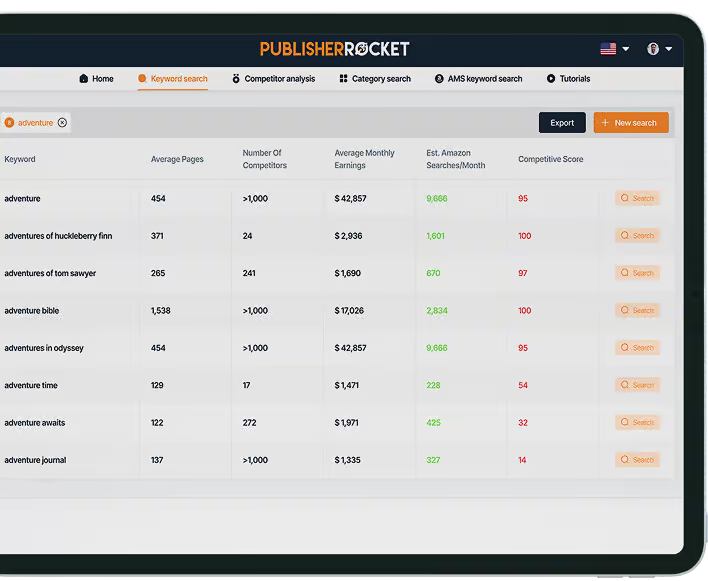
Publisher Rocket is all about helping your book get found, and it’s currently a $199 one-time purchase with lifetime access and free updates. It lets you research keywords, categories, and competition on Amazon so you’re not guessing what readers are actually searching for. If you care about discoverability, this stuff matters more than most writers realize. It’s especially useful if you plan to run Amazon ads or want to make smarter decisions about how you position your book from the start. You can absolutely publish without it, but it removes a lot of the guesswork. We walk through how it works in our full Publisher Rocket review.
Plottr and Novel Factory are planning and plotting tools, and if you like mapping things out before you write, they can be a huge help. Plottr is more of a visual planning tool, while The Novel Factory is built around a guided novel-writing process, so they solve slightly different problems. That said, they're not the only options. Some writers prefer other plotting tools, and some still do all of this on corkboards, whiteboards, or paper. If you’re curious about this kind of software, we’ve put together a full guide to the best plotting tools that compares the top options.
So What's the Verdict? What's the Best Writing Software?
I personally love having one software that helps me do everything I need to write and create a professional looking book. As the co-founder of Atticus, it's hard not to be biased, but I believe it's the strongest true all-in-one option on this list. It’s the one that lets me write, collaborate, format, and export without bouncing my manuscript through a bunch of different tools.
It's a one-time payment and you get it for life, it's easy to use, and full of what I consider the most important features an author needs.
You could use a combination of other programs like Word to write, Google Docs to collaborate and Atticus to format. But trust me when I say, this is problematic and creates issues with version control. Because of a version control mistake where I labeled one of my edited version “FINAL FINAL COPY” (and it turns out that wasn't the final version), I formatted and published the wrong version… ouch.
So, be careful with that. But if you're using just one software for all of it, then you can rest assured that you're safe.