I've been writing both fiction and nonfiction books for over 12 years. In that time, I have used just about every book writing software that's hit the market. Whether that was something broad like Word, or specific like Scrivener, I've tried them all.
Furthermore, even when I thought I had found my favorite book writing software that now houses all of my work, because of my writing on Kindlepreneur, I have gotten wind of just about every new tool out there. With the advent of AI and AI software development, there seems to be even more hitting the market every day…many of which you should absolutely avoid, as I'll discuss later.
Because of all of this, I am constantly asked what is the best book writing software. But I like to first stop and start with what really is book writing software. Writing software is simple…it's a system by which you can type words. However, for something to truly be a good book writing software, you need planning, writing, collaborating, and formatting.
Now some, as you'll see can actually do all of that. While others specialize in one general area and usually need to be paired with others in order to fully writing and publish a book. Many authors just want one writing tool, and others want to learn all the different types out there and have a full system of tools to use. One for plotting, one for writing, one for collaborating and one for formatting.
So, to best answer the question on which one is the best, I will list my absolutely favorite (which does everything), and then list which ones I think specialize or win in a category of book writing. So, with that, let's check them out.
1. Atticus: Editor's Choice – Best All In One

Back in the day, I used to use Scrivener for writing, google docs for collaborating with my editor, and then a book formatting software to turn my writings into a proper looking epub and pdf file for print. That's 3 different sets of software to help me make a book! Not only was that expensive paying for all of them, but then I had soooo many different versions of my book as I moved it from software to software.
It was because of this pain that I was excited about Atticus when it came on the market. One of the things I love most with Atticus is that you can write, collaborate and format your book in the same place. You don’t have to rebuild your manuscript later or move files around, and create painful version controls. You don’t have to worry about breaking things when you export. You just write, preview, and export when you’re ready. Because the best way to describe Atticus is if Scrivener, Google Docs, and Vellum got together and had a baby, its name would be Atticus.
I also love that it works pretty much on any type of computer. Windows, Mac, Linux, Chromebook, browser, etc. You’re not locked into one type of computer.
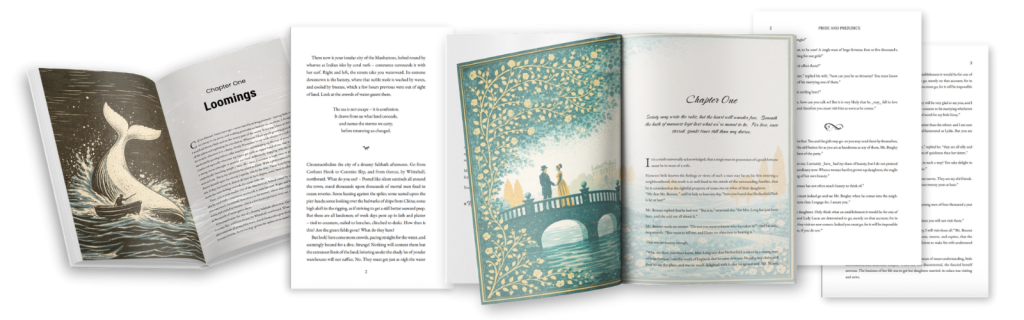
And then there is the formatting. Atticus allows me to make some absolutely stunning looking books and in many cases, my readers have left reviews to that affect. The best part is, its not only very simple to do these kind of books, but Atticus has wonderful support and tutorial videos to show you how.
Another thing I love about Atticus is that it is a one-time purchase. I think this is incredibly important for authors. I personally do not like the idea of putting all my written work on a subscription based software.
What happens if I stop paying for the software? Do I lose all my work? Do I have to migrate everything over? Therefore, a subscription for my book writing software feels wrong. I want to just pay once, and ensure I can use that software for life…never have to move, and never have to worry about it.
One thing I don't like, or something they can improve, is that it doesn't include a plotting feature. It would be nice if it had plotting, character cards, etc, but it doesn't…although that is something that will come out in the future. Another thing to bring up is that when it first came out, it was a bit buggy. However, the team has made some major strides, and now it hums along perfectly. So, no more probelms or issues.
So, because its a one time price, does everything you need to make your book, works on all computers and is super easy to use, Atticus is my top choice and the one I use for all of my book writing.
If you want the full breakdown, I go much deeper in my full Atticus review.
2. Scrivener: Best for Pure Writing (But Not for Everyone)

Let's give credit where credit’s due… Scrivener is great for writing. Heck, I used it for years (back when I worked for Apple), and wrote 4 books, as well as my Master Thesis on it while I was at Naval Post Graduate School.

For a pure drafting experience, few tools do it better. And like Atticus, it is also a one-time purchase, which I love. No subscription. You buy it, and you own it. That part is great.
However, whenever they do an update, you do need to pay again in order to get the update, which I don't like. Another issue is that Scrivener is SUPER slow with updates. I think the last time they updated was over 6 years ago? And when they update, they'll release the Mac update, and then years later update the PC.
So, what does it do? Well, unlike Atticus it does include two ways of plotting, however, I find this both complicated and not very useful. And yes, it technically has formatting as well. However, you do not want to use Scrivener to format your book. It’s insanely complicated. People literally buy courses just to learn how to use the formatting feature alone and what you can format with it is pretty blasé.
So what usually happens is this: people draft in Scrivener, then export everything to word to collaborate with their editors or Beta readers, and then format using something else. But if you’re doing that, you might as well just use Atticus and keep everything in one place.
I go much deeper into all of this in my full Scrivener review, if you want the longer version.
And if you do want to try Scrivener for yourself, you can use the code KINDLEPRENEUR to save 20%.
3. Sudowrite: Best AI-Assisted Writing Tool (If You're Careful)

Let's face it, there are many many AI writing tools that are popping up all over the place that claim to either assist authors in writing using AI, or are giant content mills. I have tried many over the years, with Sudowrite being one of the few AI tools I’ve actually found useful for fiction.
I’d never use Sudowrite to write a book for me. But it can help when I’m stuck, bored, or just sitting there staring at the screen with nothing happening. Where people get into trouble is when they start leaning on it too much. If you treat everything it gives you as “good enough,” your writing can start to feel off pretty quickly. So this is very much a use-it-lightly kind of tool.
What I love most about Sudowrite over others of its kind is its layout and aesthetics. Most of its design is pretty intuitive without require LOTS of training in order to use it. It’s also good for brainstorming, throwing out ideas, expanding a scene, or helping you think through what might happen next.
Unlike Atticus and Scrivener, it is subscription-based. However, with something that is resource intensive as AI writing, it actually makes sense that it would be subscription based. You’re paying for an AI system that’s constantly changing, not a static piece of software. I still prefer one-time purchases, but this is one of the few cases where I don’t totally hate the model.
Another problem with Sudowrite is that it does not format anything. But, that's not what it was created for. Their focus is on writing and AI assistance for fiction. So if you use it, you’ll still need something else to turn your manuscript into a real book. That’s why it pairs well with Atticus. You can draft and brainstorm in Sudowrite, then move everything into Atticus to format and publish.
If you want the full breakdown, we go much deeper into how it works (and how people mess it up) in our full Sudowrite review.
And if you do decide to try it, using our link gets you 200,000 bonus credits, which is the only way I’d recommend testing it.
4. Google Docs: Best for Collaboration (Not for Long Books)

Google Docs is one of those tools everyone ends up using, whether they planned to or not.
It’s free. It’s in your browser. It saves automatically. You can open your manuscript from basically anywhere, on any device. That part is really nice.
But where it really shines is collaboration. If you’ve got co-authors, editors, or beta readers, it’s hard to beat. You can share a link, decide exactly who gets access, and see their comments and suggestions in real time. That means there's no emailing files back and forth and “final-final-v3.docx” nonsense. As a matter of fact, I use Google docs to write my articles for Kindlepreneur, so that I can then have my editor and content manager look it over before formatting it here.
However, a major issue with is that it wasn't built for books. First, when the document gets big with lots of words, it starts to run slow. Second, formatting your work into a print and epub version is very difficult and will require another software. And if you actually want to publish, you’re probably going to end up exporting it to something like Atticus anyway.
But if you’re writing a full-length book and want something that’s actually designed for that, you’ll probably hit its limits. That said, if you do want to use Google Docs for a book, I’ve written a full guide on how to make it work as smoothly as possible. I walk through structure, formatting workarounds, and the exact setup I’d recommend. You can check it out by clicking the button below.
5. Microsoft Word: Familiar, But Not Built for Books

When it comes to drafting, Microsoft Word is fine and probably the most familiar of them all. However, Word was built for ALL types of writing, and not just books.
Now, there are ways you can prepare a word document so that it better aligns with book creation. But, if you try working with something like Atticus or Scrivener, you'll quickly see the major difference between writing a book in Word, as compared to writing a book in a book writing specific software.
One thing I will tell you, though, is my editor LOVES working in Word. The track changes capability is big, and I believe many editors are most familiar with Word and so prefer using it when doing their work. However, it was because of this that Atticus' collaboration function with editors was designed to mimic and feel like Word.
One thing that really hurts Words as a ‘book' writing software is that formatting into a book is huge headache. You can do it, but Word clearly wasn’t made for that. Also, to help with this, I built a bunch of free Word formatting templates that can definitely help, but even then, you're still incredibly limited in what you can do for formatting, and its just a big pain.
But the thing that made me truly drop Microsoft Word so far down this list (and quite possibly off this list in the future), is that it is no longer a life time one time fee. Instead it is a subscription (and not a cheap one), unless you're using the stripped-down web version…ugh. So, unless you're already paying for Microsoft 365 which isn't cheap, I wouldn't go out of my way and pay that price for this.
If you want the longer breakdown, I go deeper in my full Microsoft Word guide.
6. Ulysses: Beautiful, Minimal, and Very Apple
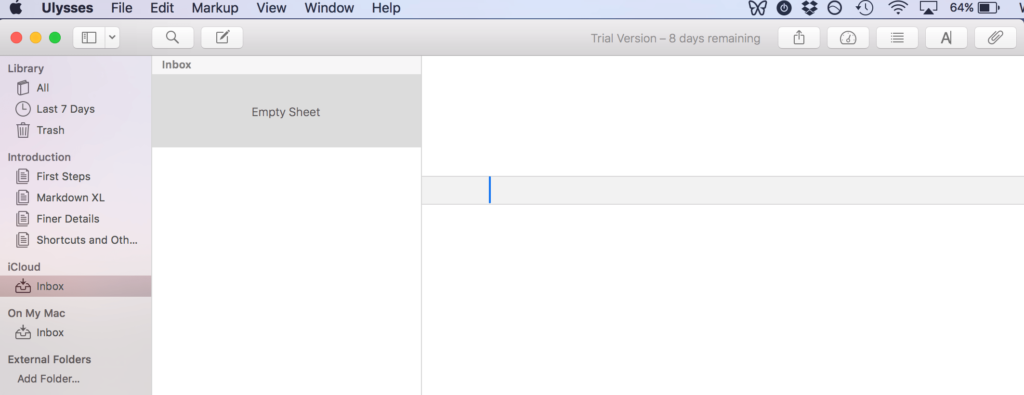
Ulysses is one of the nicest writing apps I’ve ever used. If you care about aesthetics and a distraction-free experience, it’s hard to beat. I love how clean it is, and how easy it is to use as well.
However, there are two big catches. First, it’s Apple-only. Second, it’s a subscription which I am not a fan of when it comes to housing your life's work. You’re paying every year just to keep using it.Some people are fine with that. I’m not.
Another issue, which I've brought up before as well is that doesn't have any other functionality than to write your manuscript. There isn't any legitimate plotting capability, or even a way to format. So, if you are into the aesthetics of Ulysses and are using a Mac, then great. However, you're still going to need a book formatting software in order to turn your work into a book.
I have a full Ulysses review if you'd like to learn more about it. But here’s the quick takeaway:
If you’re deep in the Apple ecosystem and want a beautiful, minimal place to write, Ulysses might be worth a look. If you’re not, there are better options.
Best Book Writing Software Comparison Table
Program | Cost | OS | Formatting |
|
| ||
|
| ||
|
| ||
|
| ||
|
| ||
|
|
Writing Tools I Don't Recommend (Or Didn't Make the Cut)
This is the part most “best of” lists avoid, but I think it matters. There are a lot of writing tools out there. Some of them aren’t terrible, they just don’t make much sense anymore when you compare them to stronger options.
Here’s why the following tools didn’t make the cut:
yWriter is made for writers who love tracking data about their story — scenes, characters, structure, all that stuff. For most people, though, it’s a bit much. The interface feels dated, the writing experience isn’t very pleasant, and it doesn’t handle formatting well, so you’ll still need another tool to actually finish your book. It’s also often called “free,” but that’s really only true long-term if you’re on Windows. On Mac, it’s only free while it’s in beta, and the iOS and Android apps are paid. If you want the full breakdown, we go into more detail in our yWriter review.
Apple Pages is free, it looks nice, and it’s easy to use, especially if you’re already on a Mac or iPhone. But it’s really more of a layout tool than a writing tool. It’s built to make pages look good, not to manage long manuscripts, and once your project gets big, it starts to feel clunky. It’s also locked into Apple’s ecosystem, which makes collaboration annoying if everyone isn’t on a Mac. And honestly, even though it’s free and I'm a big Mac person, I’d still recommend Google Docs or even Microsoft Word over Pages for most people. They’re more flexible and better suited to actual writing workflows.
Novlr offers a clean, simple word processor with a few nice extras like autosave, cloud syncing, and a built-in proofreader. The problem is the price. It’s a subscription, and for what it offers, it just doesn’t feel worth paying for. It doesn’t have strong formatting tools, deep organization, or collaboration features, and if you’re looking for AI-style help, Sudowrite does that much better. But that said, if you'd like to learn more about it, be sure to check out our full Novlr review.
Squibler is very system-heavy. Lots of templates, planning tools, and dashboards. If you love mapping everything out, you might like it. Most writers, though, will find it bulky and overcomplicated. The bigger issue is the price. At $29 a month, it’s expensive, especially since it still doesn’t handle formatting well and often requires another tool later anyway. And if you’re mainly interested in AI-style help, Sudowrite does that much better. Our in-depth Squibler review goes into more details, if you're interested in learning more about it.
Bibisco has some interesting ideas, especially around character profiles and story structure. If you’re really into that side of things, it might catch your attention. But once you get past those niche features, it starts to feel limited. For most writers, something like Scrivener gives you way more flexibility and a much stronger overall writing environment. Bibisco feels like it’s trying to solve one specific problem, but ends up being too narrow for real-world book projects. We do have a full Bibisco review if you want the deeper breakdown.
Vellum is a great formatter. No argument there. The problem is that it’s only a formatter, and it only works on Mac. If you already own a Mac and just want a premium formatting tool, it can make sense. But Atticus now gives you similar formatting tools, works on all platforms, and also lets you write your book in the same place — for less money. That makes Vellum hard to justify unless you’re deep in the Apple ecosystem and only care about formatting. We also have a full Vellum review if you want more detail.
FocusWriter does exactly what it says: it gives you a blank, distraction-free place to type. And that’s fine. The issue is that it doesn’t really do much beyond that. There’s no real organization, no project structure, and no workflow support. If all you want is a blank screen, you can get that from plenty of tools that also give you actual writing features. Even Scrivener’s Composition Mode does the same thing without being so barebones. We go deeper into this in our full FocusWriter review if you’re curious.
LibreOffice Writer isn’t terrible. It’s free, which is nice. But it feels dated, clunky, and not especially friendly for long-form creative writing. If you’re going to use a free tool, Google Docs is more modern, easier to use, and much better for collaboration. LibreOffice feels more like a workaround than something you’d actually choose on purpose.
AutoCrit gives you formatting-style feedback and some basic analysis, and none of it is especially strong. It doesn’t go very deep, it doesn’t really understand what you’re trying to do as a writer, and compared to newer AI tools, it just feels limited. Once you factor in the subscription price, it’s hard to justify. There are simply better options now. If you want the full breakdown, we explain it all in our AutoCrit review.
Tools to Possibly Add To Your Book Writing System
On top of the book writing software, there are some tools out there that authors like to supplement with their writing work. These include grammar checkers, planners, productivity apps, and more.
Many of these I personally use with my writing, so I figured they were worth mentioning to give you the full experience across the board.
ProWritingAid is the one I recommend when someone wants serious feedback on their writing. It goes way beyond grammar and spelling. It looks at things like pacing, repetition, readability, sentence variety, filler words, and more. It can feel like a lot at first, but if you like understanding why something isn’t working instead of just fixing it, it’s incredibly useful. It also integrates with tools like Scrivener, Google Docs, and Microsoft Word, so it fits into most workflows without much friction. If you want depth and don’t mind a learning curve, this is the one to use. We also have a full ProWritingAid review if you want the deeper breakdown. (And we also have a 20% discount on annual and lifetime plans.)
Publisher Rocket is all about helping your book get found. It lets you research keywords, categories, and competition on Amazon so you’re not guessing what readers are actually searching for. If you care about discoverability, this stuff matters more than most writers realize. It’s especially useful if you plan to run Amazon ads or want to make smarter decisions about how you position your book from the start. You can absolutely publish without it, but it removes a lot of the guesswork. We walk through how it works in our full Publisher Rocket review.
Plottr is a planning and plotting tool, and if you like mapping things out before you write, it can be a huge help. It lets you organize scenes, story arcs, characters, and timelines visually, which makes complex projects easier to manage. That said, it’s not the only option. Some writers prefer other plotting tools, and some still do all of this on corkboards, whiteboards, or paper. If you’re curious about this kind of software, we’ve put together a full guide to the best plotting tools that compares the top options.
Verdict: What's the Best Writing Software?
If you just want the answer and don’t care about the details: use Atticus.
I’ve tested a lot of writing tools over the years. Some are fine. Some are frustrating. Some look good on a sales page but fall apart once you try to write an actual book in them.
Atticus is the one that keeps me from fighting my software.
I can write in it. I can organize my book in it. I can format my book in it. And when I’m done, I can export files that are actually usable.
That sounds basic, but it isn’t.
Most tools do one of those things well… and then force you into two or three other tools to finish the job.
If you’re on a tight budget, Google Docs can work for short projects. I still use it for blog posts and shared docs. Apple Pages is another decent free option if you’re on a Mac.
But once your manuscript starts getting big, those tools start to feel like the wrong fit. They weren’t built for books. So, if you’re serious about writing a book, don’t make it harder than it has to be.
Use a tool that was built for authors.
That’s Atticus.